

Fix a mistake in your name
Ask the issuer to correct a spelling mistake or the wrong name on your credential. It is free, and your link keeps working.
This page shows you how to ask for a corrected credential when your name is spelled wrong or written the wrong way.
Step 1: Open your wallet
Go to /wallet, enter the email address the credential was sent to and type the 6-digit code you get by email.
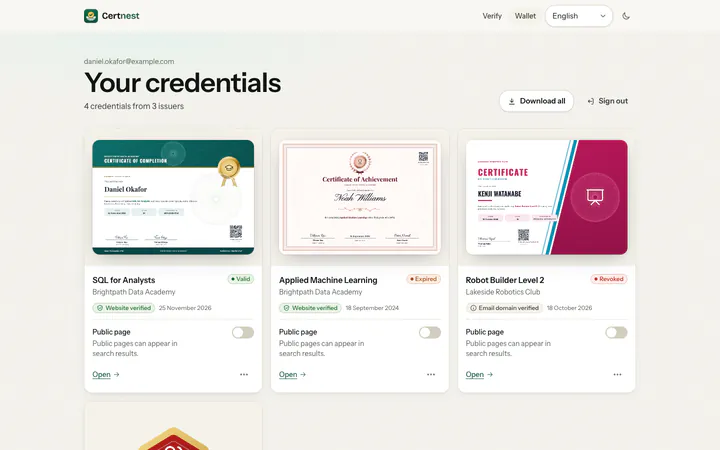
Step 2: Choose Fix my name
Open the menu on the credential with the mistake and choose Fix my name.
Step 3: Write your name as it should appear
Type it exactly as you want it printed, with the right accents, spaces and letters. In Note for the issuer you can add a line, for example "Please use my full first name, Oluwaseun, not Seun."
Step 4: Press Send request
The issuer gets your request and sends a corrected credential. You get an email when it is ready.

What happens next
- The issuer checks the request and answers at its own pace.
- When they correct it, your credential keeps the same ID and the same link. Anything you already shared, such as a LinkedIn entry, keeps working and shows the new name.
- The record keeps a history of the change, so the issuer can always show what was corrected and when.
- A correction costs nothing, for you or for the issuer. It never counts as a new credential.
Other mistakes
For a wrong date, course or score, write to the organisation that issued it. Their name and website are on your credential page under Issued by. Only the issuer can change what a credential says, because only they signed it.
If something goes wrong
- You hear nothing for a long time: write to the issuer directly and mention the Credential ID, which is on your page.
- The credential belongs to someone else: do not change the name. Use Report this credential on the page and choose Wrong person.
- Your email address changed: ask the issuer to correct the email. The credential moves to your new address and keeps its link.
Related help
- Keep all your credentials in your walletSign in with an email code to see every credential sent to your address, from any issuer, and manage each one.
- Open your credentialOpen the credential an organisation sent you, see what it says, and check that it is valid. No account or password needed.
- Privacy and deleting your copyChoose who can see your credential page, make it public or private, and delete your copy if you no longer want it online.
Read more on the blog
 Certificates
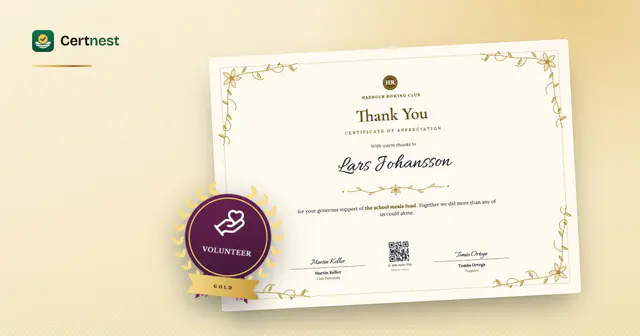
Certificate wording examples for every type of award
Copy-ready lines for ten kinds of certificate, from course completion to employee of the month, plus simple rules for tone and length so every certificate reads well.
7 min read
