Switching is free
Move over in days. We do the heavy lifting.
Send us your export. We rebuild your designs, bring over past credentials with their IDs, and keep your recipients' proof working. Free on every plan.
No sales call needed. A person reads every request.
Why people switch
What you get on the other side
Credentials that never vanish
Credentials stay live after you cancel or get a refund. Your people keep their proof.
No credit anxiety
Corrections and resends are free, and unused credits roll over for 12 months.
Your whole team, no seat fees
Unlimited members on every plan.
A designer that keeps up
Fast editing, real typography, many scripts and print sheets.
What we move
Everything comes with you
Designs
We rebuild your certificate and badge designs in our designer, matched to your current look.
Recipients and history
Names, emails, issue dates, expiry dates and status for every credential you issued.
Credential IDs
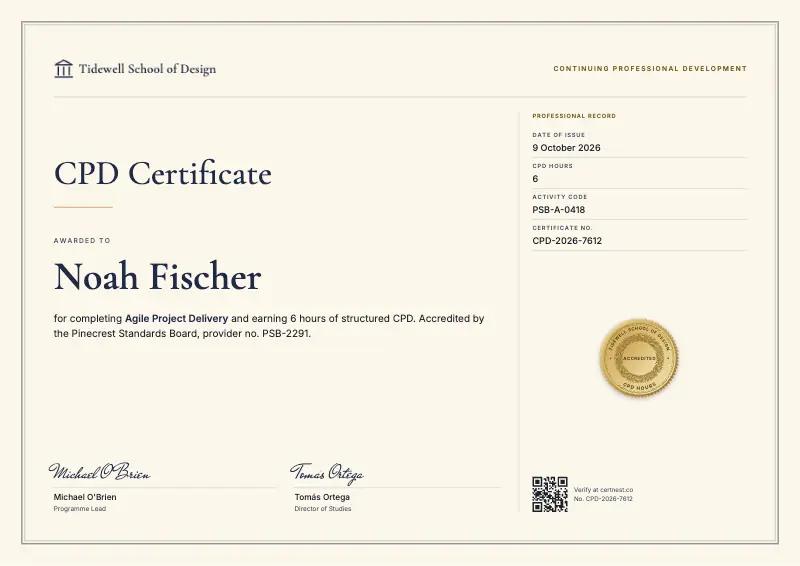
Your existing IDs carry over, so a verifier searching an old ID still finds it.
Automations
We help you reconnect your sheets, forms, course platform or API calls.
How it goes
From export to first send
- 1
Send us your export
A spreadsheet export of your credentials and your design files or screenshots. We tell you within 2 working days what we can move.
- 2
We rebuild and you review
Your designs and credentials appear in a fresh workspace. Check them before anything goes live.
- 3
Go live, no emails needed
Old credentials appear on our verify pages with their old IDs. You choose whether to tell recipients about their new page.
What to send us
- A spreadsheet export of issued credentials: name, email, credential title, issue date, expiry date, credential ID, status
- Your designs as files, PDFs or screenshots, and your fonts if they are your own
- Your logo and brand colours
- A list of automations you use today
- Your sending domain, if you send from your own address
Keeping old links working
Recipients may have shared old links on profiles, CVs and posts. We do what we can to keep that proof alive.
- Every old credential ID can be checked on our verify page.
- If your old links used your own domain, point that domain to us and the links keep working.
- If your old links used your old platform's address, we cannot redirect them, but we can email recipients their new link if you want.
Questions and answers
What does migration cost?
Nothing. Migration help is free on every plan, including the free plan.
How long does it take?
Most moves take a few days from the time we get your export. Large or complex ones take longer, and we give you a date up front.
Will my recipients notice anything?
Only if you want them to. Old credentials keep their IDs and are checkable on our verify page. You can choose to email recipients their new page.
Can I keep using my old platform while you set things up?
Yes. Keep sending as usual. We import a final export when you are ready to switch.
Do past credentials use my yearly allowance?
Tell us how many you are bringing over before we start. We agree how they are counted with you up front, so there are no surprises.
Are the old credentials signed with open standards too?
Imported credentials are signed by your organisation's key when they are brought over, so they can be checked the same way as new ones.
Bring your credentials home
Write to us with your export, and we will take it from there.