Digital credentials vs paper certificates: an honest comparison
Paper still has its moments, and digital wins most of the rest. Here is a fair look at both, and how to give people the best of each from one design.

By the Certnest team
8 min read

On this page
Key takeaways
- Digital credentials are faster and cheaper to send, easy to share, and anyone can check them in one click.
- Paper still matters for ceremonies, framing on a wall and places with little internet.
- You do not have to choose: send the digital credential to everyone and print the same design for the people who want paper.
- A QR code on the printed copy links paper back to the live record, so even the paper can be checked.
- Move over in stages: start with one programme, keep your wording, then retire the old process.
For a long time a certificate meant a sheet of good paper, a signature in ink and maybe a gold seal. People still love that feeling, and they should. But most of the work a certificate does today happens on a screen: it goes on a profile, into a job application or an email to a manager. This article compares paper and digital credentials fairly, point by point, so you can decide what fits your people.
What we mean by each
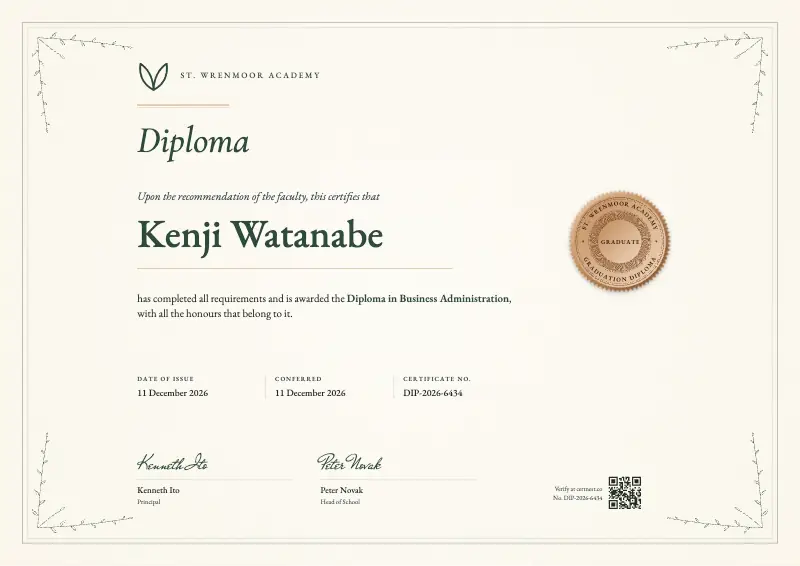
A paper certificate is a printed document. It may be handed over at an event, posted, or printed at home from a PDF. Once it leaves your hands, you cannot change it, and nobody can check it without contacting you.
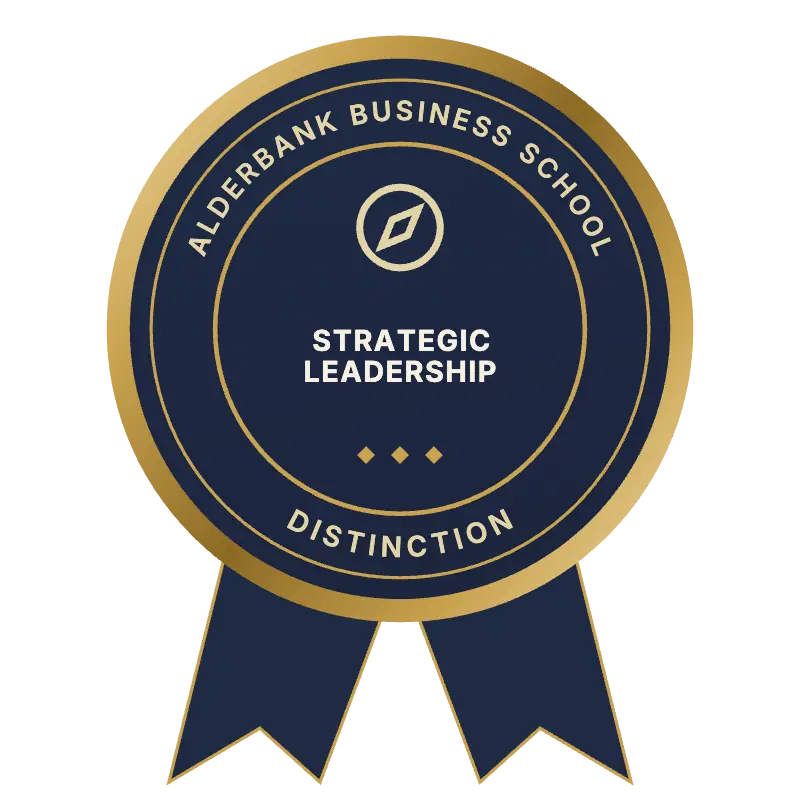
A digital credential is a record you send by email or link. The person gets their own page with the certificate or badge on it, a PDF and image to download, and buttons to share it. Behind the page is a record that can be checked at any time, and in open formats like Open Badges 3.0 it is signed, so anyone can confirm who issued it and that nothing was changed.
Side by side
| What matters | Paper certificate | Digital credential |
|---|---|---|
| Cost per person | Paper, ink, printing and often postage or a courier | An email and a page; most tools charge per credential sent |
| Time to send 500 | Days: print, sign, pack and post or hand out | Minutes, from a spreadsheet or a form |
| Fixing a mistake | Print again and send again | Correct the record and resend; the link stays the same |
| Sharing | A photo of the paper, if the person bothers | One tap to LinkedIn, email, messaging apps or a copied link |
| Checking it is real | Call or email the issuer and wait | Scan the QR code or open the verify page; the answer is instant |
| If it is lost | Ask the issuer for a copy, if they still have records | It stays on its page and in the person's wallet |
| Expiry and renewal | The date is printed; nobody knows if it was renewed | The page shows Valid, Expires soon or Expired, with the date |
| Knowing what happened | No idea who received or used it | See who opened, downloaded, shared and checked it |
| Feeling on the day | Holding it, framing it, a photo on stage | A warm email and a page made for the person |
The table leans digital because most of the practical jobs a certificate does happen online now. But the last row is real. A certificate is also an emotion, and paper does that well.
When paper still makes sense
Be honest about the moments where paper is the better choice. They are not rare, and getting them wrong takes the joy out of an award.
- Ceremonies and graduations. Walking on stage and receiving something in your hands is a memory. A screen cannot replace it.
- Things people frame. Long service awards, diplomas, first prizes and lifetime memberships often end up on a wall at home or in an office.
- Young children. A merit certificate for an eight year old belongs on the fridge, not on a profile. Parents expect paper.
- Places with poor internet or no email. Some communities, older members and field workers are easier to reach in person.
- Rules that ask for it. Some regulators, employers or schools still ask for a signed paper original. Check before you drop it.
When digital is the better choice
Digital credentials win when the certificate has to work after the moment it is given: to prove a skill, to count toward a requirement, or to be seen by people who were not there.
- Online courses and webinars, where people are spread across countries and there is no stage to walk across.
- Professional training and CPD or CE hours, where an employer or a body may want to check the record years later.
- Large groups. Sending 2,000 attendance certificates by post is slow and costly. By email it takes minutes.
- Credentials that expire, such as safety or first aid training, where the current status matters more than the printed date.
- Anything people want to share, because a link to a real page is worth more on a profile than a photo of paper.
How to give people both
The best answer for many organisations is not paper or digital, but one design that works as both. You design once, send the digital credential to everyone, and print the same design for the people and moments that call for paper.
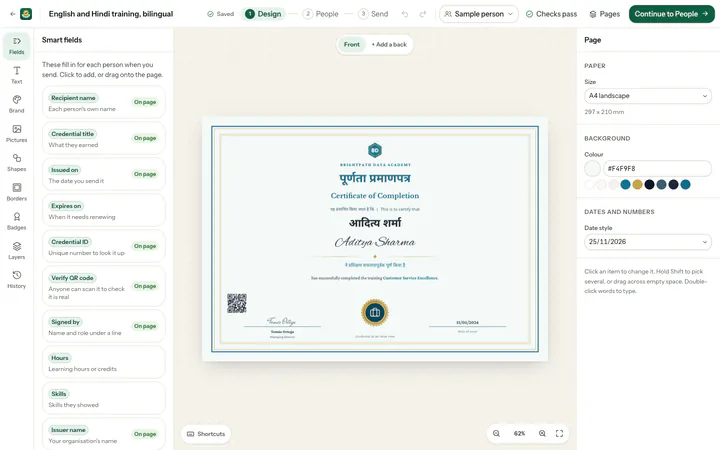
Step 1: Design once, at real paper size
Pick a template at A4 or US Letter so it prints cleanly. Keep text away from the edges, because many printers cannot print right to the border. Our guide to printing on A4 or Letter covers margins and paper weight.
Step 2: Add a QR code and the credential ID
Put the QR code in a corner and the ID in small type. On paper, this is what turns a nice sheet into something an employer can check. See QR codes on certificates for size and placement.
Step 3: Send the digital credential to everyone
Upload your list and send. Each person gets an email with a link to their page, where they can download a PDF to print at home if they like.
Step 4: Print sheets for the ceremony
Download a print file of the same design for the people on stage, the framed awards or the children's certificates. The printed copy carries the same ID and QR code as the digital one.
Step 5: Hand over paper, keep the record live
On the day, people get the paper in their hands. Afterwards, the digital page keeps working: if you correct a name or the credential is renewed, the QR on the paper still opens the current record.


Thinking about cost honestly
Paper costs are easy to underestimate because they are spread out: good card stock, colour ink or a print shop, envelopes, postage, the hours spent signing and packing, and the reprints when a name is spelled wrong. Digital costs are usually a subscription or a price per credential sent.
When you compare tools, look past the headline price. Ask whether corrections and resends cost extra, whether unused credits roll over, and whether credentials stay live if you stop paying. These details decide the real cost far more than the monthly number. Our buyer's checklist goes through them one by one.
Moving from paper to digital
You do not need a big switch. Most organisations move one programme at a time and keep paper for the moments that deserve it.
- Pick one programme to start. A regular course, a monthly webinar or a training that repeats is ideal, because you learn fast and the people are used to getting something from you.
- Keep your wording and look. Rebuild your current certificate as a template so people recognise it. The certificate wording examples can help you tidy the text while you are at it.
- Tell people what is coming. A line in your last email before the course ends, such as "Your certificate will arrive by email from us", cuts down on questions and stops the email being missed.
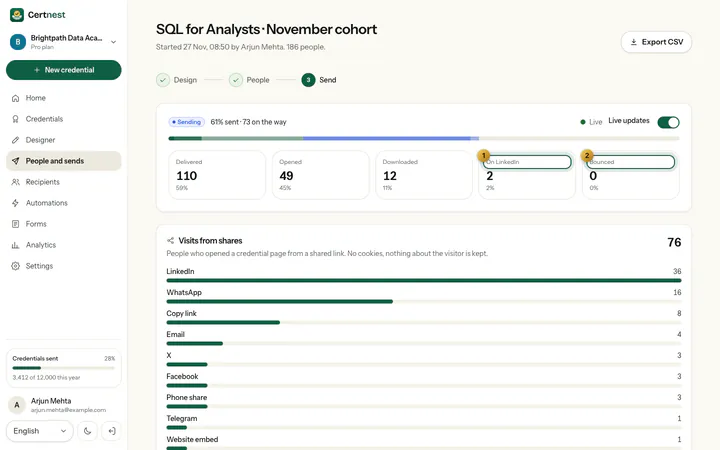
- Send, then look at the numbers. See how many opened, downloaded and shared their credential. That tells you whether the change is working.
- Bring in old records. If you have years of past certificates in a spreadsheet, you can import them so earlier recipients can be checked too. Our guide to moving your certificates explains how.
- Decide what stays on paper. Write down the moments that keep a printed copy, so everyone on your team handles them the same way.
What recipients actually want
When people earn something, they want three things: to feel proud, to keep it safe and to show it to the people who matter. Paper does the first well and the second badly, since papers get lost in moves and floods. Digital does the second and third well, and can do the first too, if the email and page are made with care.
So write a warm email, put the person's name first, and make their page look like something worth keeping. Then the digital credential feels like a gift, not a receipt. And when you give paper as well, they get the photo on stage and a record that lasts.
Questions and answers
Is a digital certificate as valid as a paper one?
A certificate's value comes from who issued it and whether it can be trusted, not from paper or a screen. A digital credential with a verify page is often easier to trust, because anyone can check it in one click instead of contacting the issuer.
Can recipients still print a digital credential?
Yes. Every recipient can download a PDF from their page and print it at home or at a print shop. The printed copy carries the QR code and ID, so it can still be checked.
What happens to a digital credential if the issuer stops using the tool?
That depends on the tool, so ask before you choose one. With Certnest, credentials stay live after you cancel, and you can export everything at any time.
Do we need to stop giving paper certificates?
No. Many organisations send a digital credential to everyone and print the same design for ceremonies, framed awards and young children. One design works for both.
How do people check a printed certificate is real?
They scan the QR code with a phone camera, or type the credential ID on the verify page. They see whether it is valid, who issued it and when, without needing an account.