On this page
Key takeaways
- Score every tool on the same list: design, sending, delivery, the recipient page, verification, sharing, integrations, security, pricing and leaving.
- Run a real trial: send to yourself and a few colleagues, open the email on a phone and check the credential as an employer would.
- The pricing model matters more than the price: ask about corrections, rollover, cancelling and export.
- Ask what happens to your credentials if you stop paying. They should stay live.
- A tool that helps you move in, and lets you move out, is a tool that is confident in itself.
Most tools for certificates and badges look alike on their home page: a nice template, a send button, a price. The differences show up later, when 300 emails land in spam, when a name needs correcting, or when an employer cannot tell if a certificate is real. This checklist helps you find those differences before you commit. It is written to be fair to any tool, including ours, and you can use it for a team decision.
Before you start: write down your job
Write three lines before you look at any tool. They will save you from choosing on looks alone.
- What you award, and to whom. For example: course completion certificates with CPD hours, for professionals in 20 countries.
- How many, how often. For example: about 400 a month, in batches after each cohort, plus a few one-off awards.
- Where the list comes from. A spreadsheet, a form, your course platform, your own app.
Then decide what matters most to you. A school may care most about printing and guardian emails. A certification body may care most about expiry, a public registry and an API. Weight the checklist below to match.
The checklist
Score each tool from 0 (missing) to 2 (strong) on each line. Multiply by your weight: 1 for nice to have, 2 for important, 3 for must have.
| Area | What good looks like | Ask in the trial |
|---|---|---|
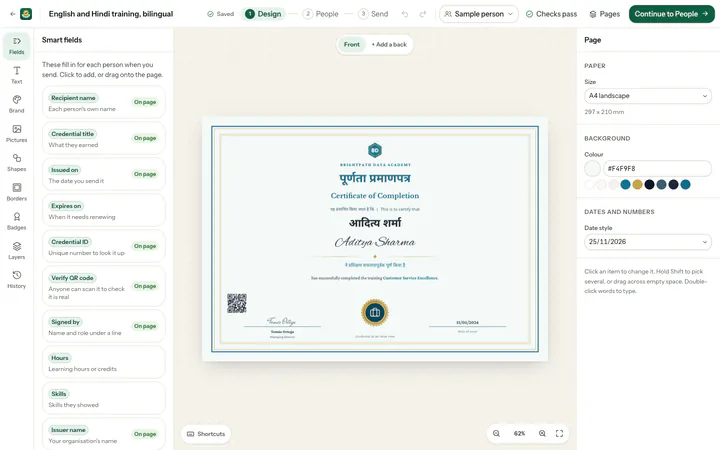
| Design | Good templates for your awards, your logo and colours applied for you, real paper sizes, names that always fit | Does my longest name fit? Can I add hours, skills and a QR code? |
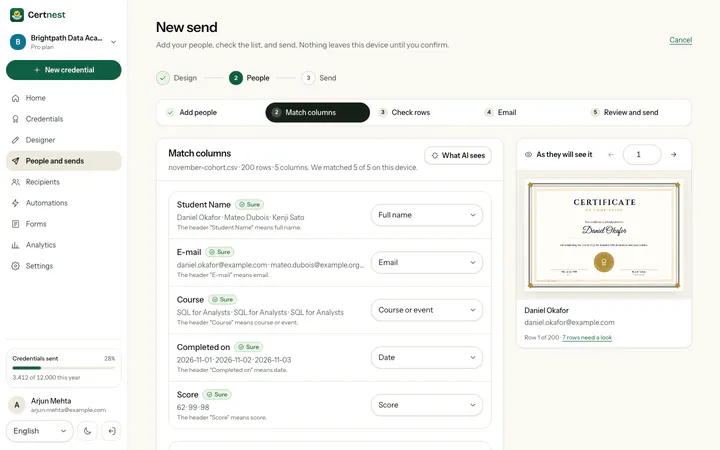
| Bulk sending | Upload a file or paste a list, columns matched for you, bad rows caught before sending | What happens to a row with a broken email? |
| Email delivery | Emails arrive in the inbox, bounces are shown per person, your own sender name and domain | Can I see who bounced, and resend after a fix? |
| Recipient page | A page made for a phone, with download, share and add to LinkedIn, no account needed | How does it look on my phone? Does the person need to sign up? |
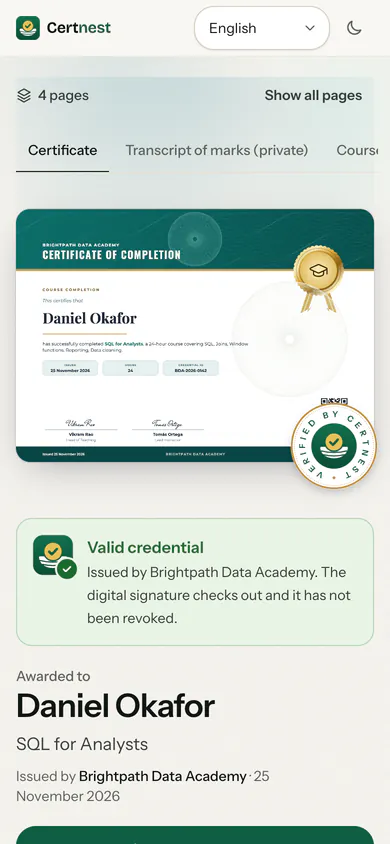
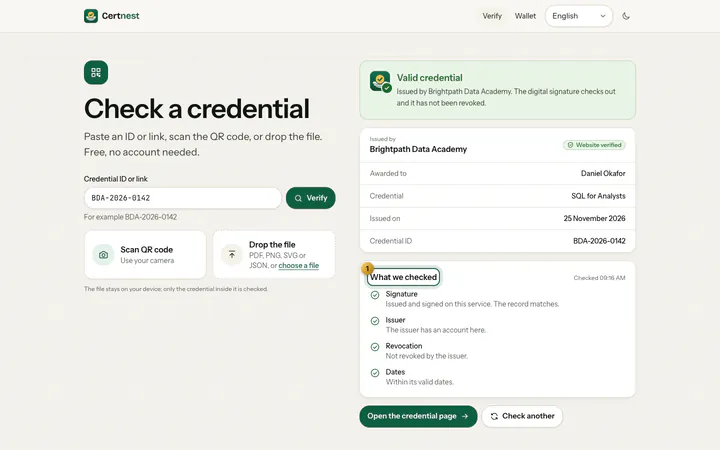
| Verification | Anyone can check a credential in one click, with a clear status and the reason | What does an employer see for an expired or revoked credential? |
| Open standards | Credentials signed in an open format such as Open Badges 3.0, checkable without the tool | Can a credential be checked if the tool is offline? |
| LinkedIn and sharing | One tap to add to a LinkedIn profile with the fields filled in, plus links for other apps | Which fields are filled in for the person? |
| Expiry and renewal | Expiry rules, reminders before the end date, renewal that keeps history | Can I choose the reminder days and words? |
| Integrations and API | Connect your forms, sheets and learning platform; an API and webhooks for your own systems | Can a course completion issue a credential on its own? |
| Security and privacy | Two-step sign-in, roles, audit log, data export, a data processing agreement | Are these on every plan, or only the top one? |
| Pricing model | Clear allowance, corrections and resends free, unused credits roll over | What counts as one credential? What if I correct a name? |
| Leaving and arriving | Export everything any time; credentials stay live after you cancel; help moving your old records in | What happens to my credentials if I stop paying? |
The pricing details that decide the real cost
Two tools with the same monthly price can cost very different amounts over a year. These are the questions that make the difference.
- What counts as one credential? Is a correction or a resend a new credential? If people misspell names (they will), paying again for each fix adds up.
- Do unused credits roll over? If you send in seasons, such as graduations or annual conferences, credits that vanish at the end of each month or year cost you money.
- What happens after you cancel? This is the most important question. If credentials stop working when you stop paying, every person you ever awarded loses their proof, and your reputation goes with it.
- Which features are locked to the top plan? Security basics such as two-step sign-in and audit logs should not be an upsell.
- How many team members are included? Per-seat pricing can make it costly to let every teacher or trainer help.
- Can you export everything? Your designs, your recipients and your records, in a format you can use elsewhere.
How to run a useful trial
A trial is only useful if you try the hard parts. Set aside an hour and do this with every tool on your shortlist.
Step 1: Rebuild your real certificate
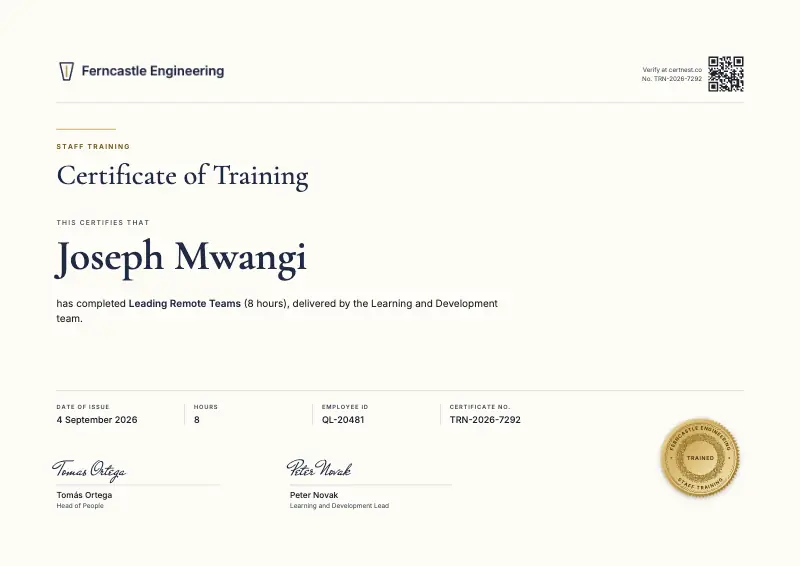
Do not judge the sample. Rebuild the certificate you actually send, with your logo, your wording and your longest recipient name.
Step 2: Upload a messy list
Make a test file of ten rows with a duplicate, a missing name and a broken email. See whether the tool catches them before sending.
Step 3: Send to real inboxes
Send to yourself and a few colleagues on different email providers. Check whether the emails land in the inbox, and how they look.
Step 4: Open it on a phone
Many people open their credential on a phone. Try downloading the PDF, adding it to LinkedIn and sharing it from there.
Step 5: Check it as an employer
Paste the credential ID into the verify page in a private browser window. Then revoke the test credential and check again. The status should change at once, with the reason.
Step 6: Correct a name and resend
Fix a name on one of the sent credentials. See whether the link stays the same, and whether it costs you anything.
Step 7: Export your data
Ask for a full export before you buy. If it is hard during the trial, it will be harder when you want to leave.


Red flags
- Credentials that stop working, or go behind a paywall, when you cancel.
- Corrections that cost a credit, or create a new link the person has to share again.
- Recipients forced to create an account to see or download what they earned.
- No way to see bounces per person.
- Security features such as two-step sign-in only on the top plan.
- Claims you cannot check, such as security badges with no certificate behind them, or vague numbers of customers.
Moving from another tool
If you already use a tool, the cost of moving is part of the decision. Ask the new vendor to help: a good one will import your past recipients and records so older credentials can still be checked, and rebuild your designs. Our guide to moving your certificates from another platform explains what to export, and our migration page explains the help we give.
How Certnest answers the checklist
You should score us like anyone else. Here is our own honest line for each area, so you know what to test.
| Area | Certnest |
|---|---|
| Design | More than 200 real templates filled with your brand, A4 and Letter, checks that long names fit and the QR is present |
| Bulk sending | Upload a file or paste a list, columns matched, duplicates and bad emails caught; about 10,000 certificates made in 50 seconds |
| Email delivery | A live board per send with delivered, opened and bounced per person; your own sender domain on Pro and up |
| Recipient page | A phone-first page with PDF, image, LinkedIn and share; no account needed |
| Verification | One click verify page and QR code, with valid, expired and revoked shown in words with the reason |
| Open standards | Signed as Open Badges 3.0 and W3C Verifiable Credentials 2.0; see our standards page |
| Add to Profile with the name, issuer, date and credential link filled in | |
| Expiry and renewal | Expiry rules, reminders and renewals with history, on Pro and up |
| Integrations and API | API, webhooks and automations on every plan except the event pass; see developers |
| Security and privacy | Two-step sign-in, roles, audit log and data export on every plan; see security |
| Pricing model | 1,000 credentials a year free; corrections and resends free; credits roll over 12 months |
| Leaving and arriving | Credentials stay live after you cancel; full export any time; free help moving in |
Whatever you choose, choose with your own list and your own longest name. The tool that handles the hard parts quietly is the one your people will thank you for.
Questions and answers
What is the most important thing to check in certificate software?
What happens to your credentials if you stop paying. If they stop working, every person you awarded loses their proof. After that, check email delivery and how easy it is for anyone to verify a credential.
Do we need open standards like Open Badges 3.0?
If your credentials need to be trusted outside your organisation, yes. A signed credential in an open format can be checked without the tool that made it, and works with other wallets and platforms.
How long should a trial take?
About an hour per tool is enough if you test the hard parts: your real design, a messy list, real inboxes, a phone, the verify page, a correction and an export.
Should corrections cost extra?
They should not. Names get misspelled in every batch. Look for a tool where a correction or resend of the same credential is free and keeps the same link.
Can we move our old certificates to a new tool?
Usually yes. Export your past recipients and records, and ask the new vendor to import them so older credentials can still be checked. A good vendor helps with this at no extra cost.