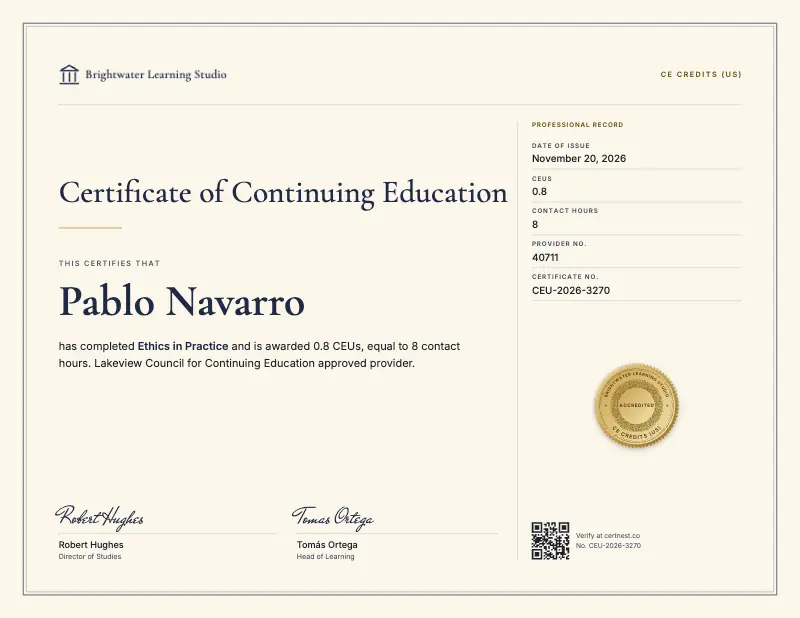
Expiring certifications and renewals, without the spreadsheet
Some credentials should end. Here is how to pick a validity period, remind people in good time and renew them in one step, so every check shows the truth.

By the Certnest team
7 min read

On this page
Key takeaways
- A credential should expire when the skill fades, the rules change or a body requires people to stay current.
- Pick the validity period from the risk and the rule that applies, not from habit.
- Remind people well before the end date, for example 60, 30 and 7 days ahead, with a clear link to renew.
- Renewing should issue a fresh credential with a new date and keep the earlier ones in the history.
- After expiry, the page and verify check should say Expired with the date, so nobody is misled.
Most certificates are for life. Finishing a course in 2026 will always be true. But some credentials say something about the present: this person is trained in first aid now, this engineer holds a current licence, this member is in good standing this year. Those credentials need an end date, and a way to renew. This guide covers when to use expiry, how to set it up and how to keep it from turning into a spreadsheet nobody trusts.
Why some credentials should expire
An expiry date is a promise to the people who check a credential. It says: we only vouch for this until a certain day. There are four common reasons to make that promise.
- Safety. First aid, fire safety, food hygiene and equipment training cover skills that fade and rules that change. Many workplaces expect a refresher on a fixed cycle.
- Licences and professional standing. Many professional bodies ask members to show continuing education hours each year or cycle to keep their status.
- Compliance. Data protection, anti-bribery or workplace conduct training is often repeated every year so staff know the current policy.
- Memberships. A member card or membership certificate usually runs for a year or a season and is renewed when the fee is paid.
If none of these apply, do not add an expiry date. An expiry on a course completion or an event attendance certificate confuses people, and makes a real achievement look like it stopped counting.
Choosing a validity period
Start with any rule that applies to you. A regulator, an insurer, a professional body or a client contract may already set the period. If there is a rule, follow it exactly and say so in the credential's description.
If there is no rule, think about how fast the skill or knowledge goes out of date and how much harm an out of date skill could do. The table below shows a way of thinking about it. The periods are examples, not advice for your field.
| Kind of credential | What changes | A period people often choose |
|---|---|---|
| Workplace safety refresher | Procedures, equipment, habits | 1 to 3 years, or what your local rules say |
| Annual policy training | The policy itself, every year | 1 year |
| Professional certification | The field and its standards | Set by the certifying body, often 1 to 3 years with CE or CPD hours |
| Membership | Payment and standing | 1 year or one season |
| Software or tool skill | New versions of the tool | 2 to 3 years, or no expiry with a version in the title |
| Course completion or attendance | Nothing: it happened | No expiry |
Setting it up in Certnest
In Certnest, expiry belongs to the credential, not to each send. You set the rule once, and every person who receives that credential gets their own end date from it. Our short guide on setting expiry and renewal has the clicks; here is the shape of it.
Step 1: Open the credential
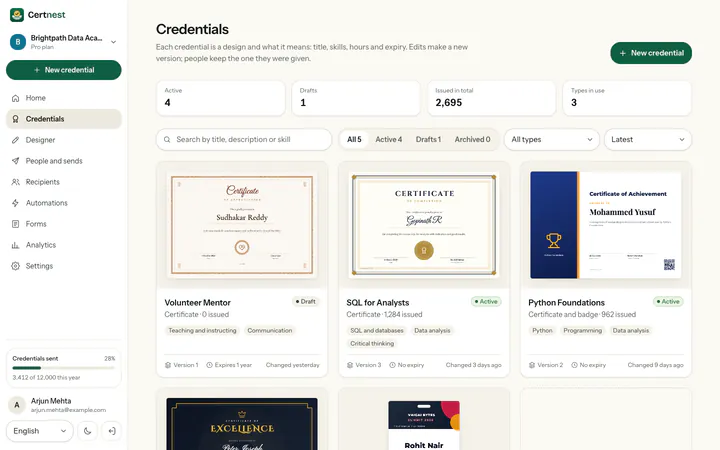
Go to Credentials and open the one that should expire. Each credential shows its version, whether it expires and how many have been issued.
Step 2: Choose the expiry rule
Pick a fixed date, a number of months or years after issue, or no expiry. A change to the rule applies to new sends only. People who already hold the credential keep the date they were given.
Step 3: Write the reminder emails
Choose how many days before the end date to remind people and what the email says. Link to the page where they can renew: a booking page, a course or a payment page.
Step 4: Send as usual
Send to your list. Each person's own end date appears on their credential page, in their wallet and on the verify page.
Step 5: Watch who expires soon
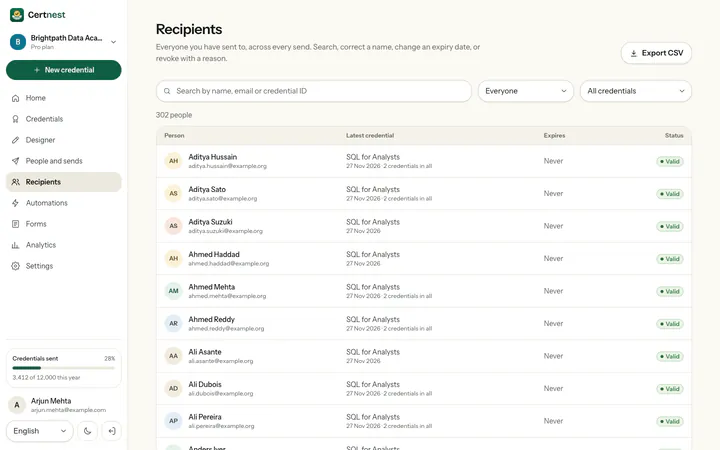
Your home screen shows an alert when credentials are about to end. The Recipients directory shows each person's latest credential and its end date, and you can export the list.


Expiry dates and reminders come with the Pro, Business and Enterprise plans. You can see the details on the expiry and renewals feature page.
Reminders that people act on
A reminder is only useful if it arrives early enough to act on and makes the next step obvious. Three reminders work well for most programmes: one far enough ahead to book a course, one as a nudge, and one as a last call.
60 days before
Hello Tomás, your Fire Safety Awareness certificate from Harbour Lane Logistics ends on 14 March. Book your refresher now so your certificate stays current: [link].
30 days before
Your Fire Safety Awareness certificate ends in 30 days. Refresher sessions run every Tuesday. Pick a date here: [link].
7 days before
A quick reminder: your certificate ends next Friday. If you have already booked, thank you, there is nothing else to do.
- Name the credential and the date in the first line. People get many emails.
- Give one link, to the place they renew. Do not send them hunting.
- Keep the tone kind. An expiry is a normal part of staying current, not a failure.
- Let people stop reminders. Reminder emails carry a one-click unsubscribe, as email rules in many countries expect.
The renewal flow
When someone qualifies again, they should get a fresh credential with a new date, and the old one should stay in their history. That way an auditor can see that a person was certified in 2024, renewed in 2026 and is current now, with no gaps hidden.
- They qualify again. They pass the refresher, log their hours or pay their membership.
- You renew them. Renew one person from their record, or upload a list of everyone who passed this month.
- A new credential is issued. It carries the new date. The earlier one is kept in the history and marked as replaced.
- They get an email. The same warm email as the first time, with their new page and a fresh LinkedIn add if they want it.
If you run a certification programme with hours, such as continuing education or CPD, keep the hours on the credential so they show on the page. Our guides on CPD certificates and CE certificates cover what to include.
What people see after expiry
An expired credential should not disappear. The person earned it, and it is part of their record. But nobody checking it should think it is still current.
- Before the end date, the page and the verify check show Valid, then Expires soon in the last weeks, with the date.
- After the end date, they show Expired, with the date it ended. The word and an icon carry the status, not only a colour.
- After renewal, the new credential shows Valid, and the history shows the earlier dates.
- If you withdraw a credential for another reason, the page shows that it was revoked and the reason you gave.

Running a certification body
If certification is your main work, expiry is the heart of your service, and you probably need more than reminders: a public registry where employers can look people up, single sign-on for your staff, and an API to connect your exam system. Our page for certification bodies covers how those fit together.
Whatever your size, the goal is the same: the status anyone sees should always match the truth. Set the rule once, remind people kindly, renew in one step, and let the record speak for itself.
Questions and answers
Can different credentials have different expiry rules?
Yes. Each credential has its own rule: a fixed date, a number of months or years after issue, or no expiry at all. A safety course can expire after two years while a course completion never does.
What happens to a credential when it expires?
It stays on the person's page and in their wallet, marked Expired with the date. The verify page shows the same, so anyone checking sees the truth.
If I change the expiry rule, does it change credentials already sent?
No. A new rule applies to new sends only. People keep the end date they were given, which keeps the record fair and predictable.
Can I renew a whole group at once?
Yes. Renew one person from their record, or upload a list of everyone who qualified again. Each person gets a fresh credential with a new date, and the earlier one stays in their history.
Can people stop reminder emails?
Yes. Reminder emails include a one-click unsubscribe. The credential and its status are not affected.
Should a course completion certificate expire?
Usually not. Completing a course is a fact that stays true. Use expiry only when you vouch for something current, such as a safety skill, a licence or a membership.