Certificates and credentials for schools and colleges
Merit, sports, participation and student ID cards, done once and done well: print for the stage, send to families, and keep minors' data safe.

By the Certnest team
6 min read

On this page
Key takeaways
- Schools give many kinds of awards; keep one template per kind so certificates look the same across classes and years.
- For students under 18, send to a parent or guardian, keep public sharing off and collect as little data as possible.
- Print sheets for the stage and send a digital copy to families from the same design.
- Student ID cards can be made from the same class list, with a photo and a QR code that checks the card.
- Names in the family's own script, next to English, make a certificate feel personal.
A school year is full of moments worth marking: the spelling bee, sports day, the science fair, top of the class, the student who never missed a day. Each one usually means a stack of certificates, a long evening with a printer, and names spelled wrong at the last minute. This guide shows how schools and colleges can do it once, do it well, and keep every certificate safe for the years when former students need it.
The awards most schools give
| Award | Who gets it | Good to include |
|---|---|---|
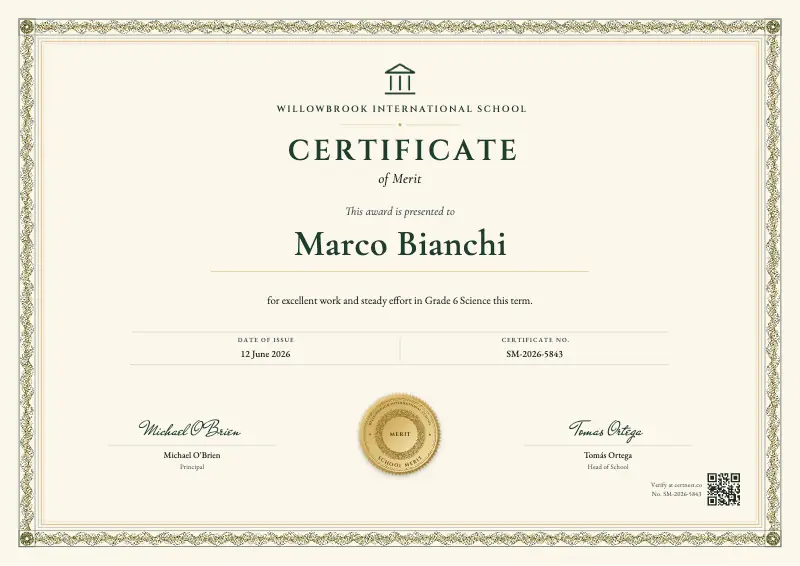
| Merit or academic excellence | Top students in a subject or class | Subject, class or year, position, academic year |
| Participation | Everyone who took part in an event | Event name, date, what the student did |
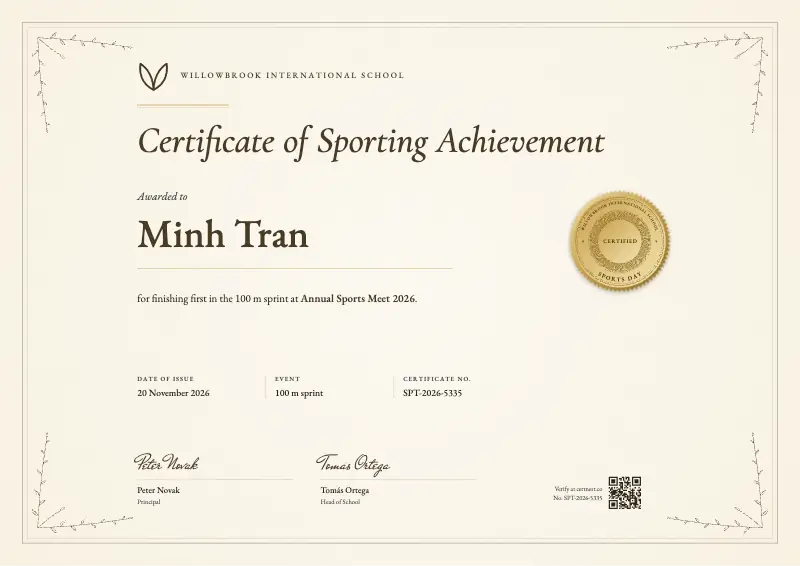
| Sports day | Winners and finishers | Event, place, age group |
| Competition winner | Quiz, essay, debate, art, science fair | Competition, level (school, district, national), place |
| Perfect attendance | Students with no absences | Term or year |
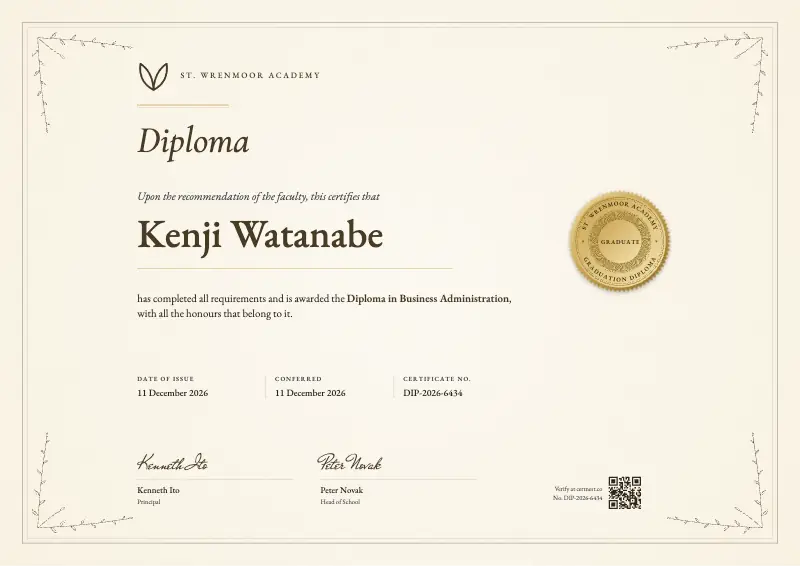
| Graduation or leaving | Final year students | Programme, year, school seal and signatures |
| Internship or project | College students | Organisation, dates, hours, supervisor |
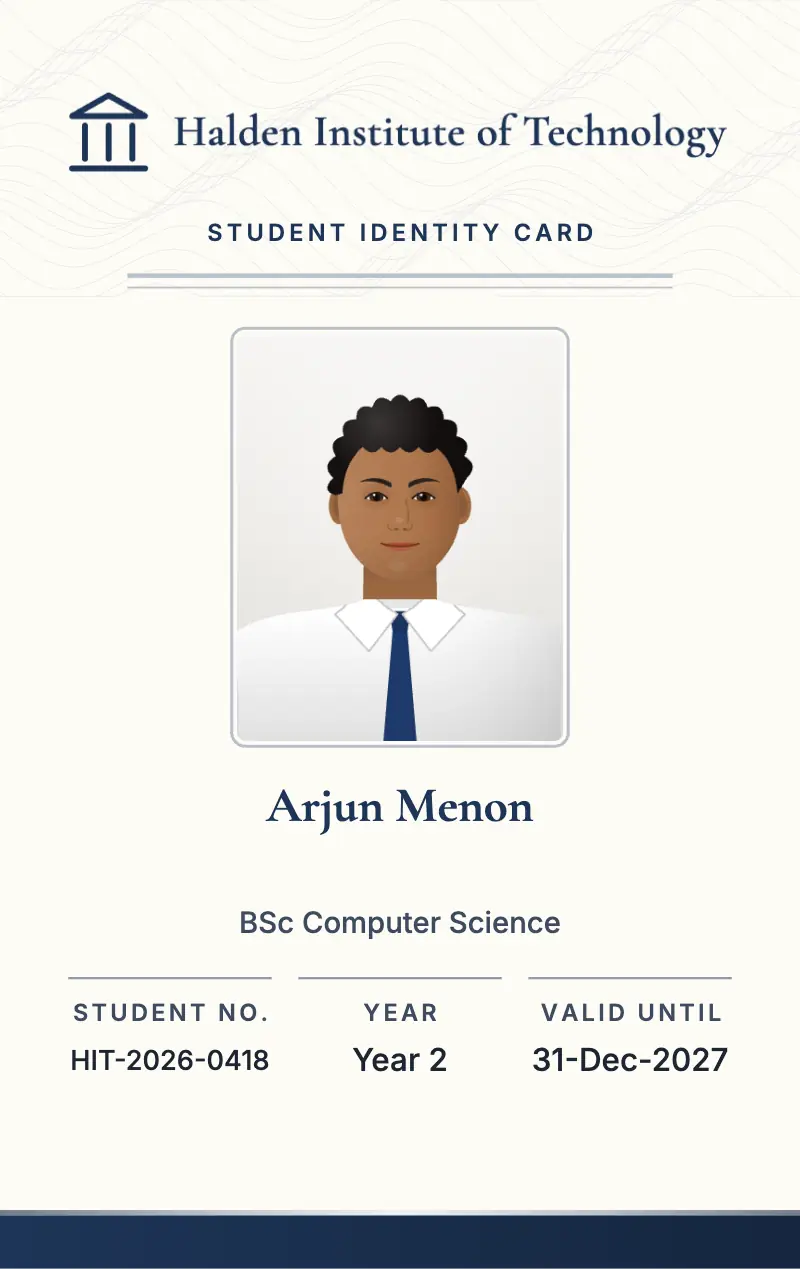
| Student ID card | Every student | Photo, name, class or course, ID, year, QR code |
Keep one template per kind of award, with the school's logo, colours and seal. When the merit certificate looks the same in every class and every year, it feels official, and nobody has to design anything at the last minute. Our template gallery has school designs for merit, sports day, honor roll and more.
Students under 18: guardians and privacy
Most school students are children, and their data needs extra care. Laws differ by country, but the safe habits are the same everywhere: collect less, share less, and talk to parents.
- Send to a parent or guardian. For younger students, put the guardian's email in your list instead of the child's. The guardian gets the email and can download or print the certificate.
- Or do not email at all. You can design, print and download certificates without sending any email. Printing without sending does not count toward your plan.
- Public sharing stays off for minors. When a credential is marked as being for someone under 18, the page does not offer sharing, and it is not listed publicly.
- Guardian emails are not kept forever. In Certnest, a guardian's email is deleted once it is no longer needed for sending. After that, no email goes out about that credential, and never to the child instead.
- Only what you need. A name, the award and the class are usually enough. Leave out dates of birth, addresses and marks unless the certificate truly needs them.
Print for the stage, send to families
Children love holding a certificate on stage, and parents love having a copy that does not get lost. You can give both from one design.
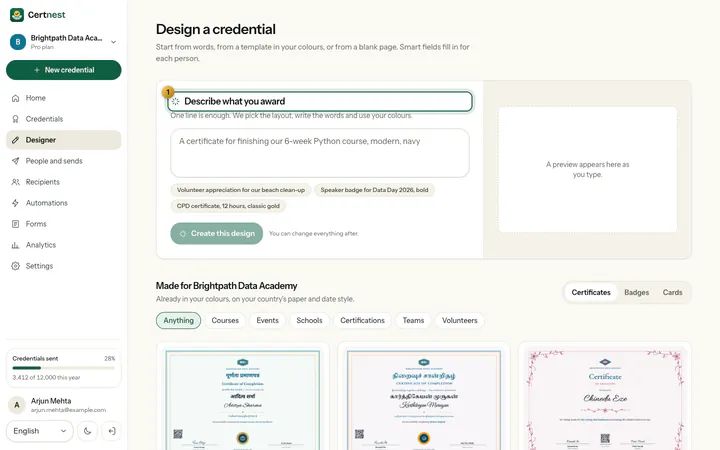
Step 1: Pick the template for the award
Open the designer and choose your school's merit or sports day template. The logo, colours and seal are already in place from your brand kit.
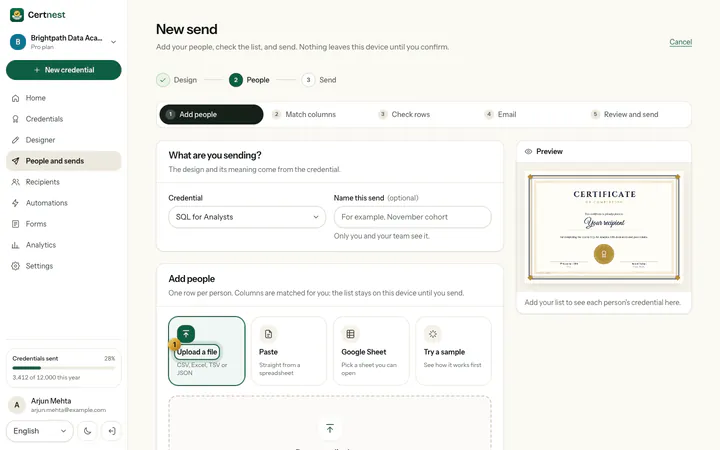
Step 2: Upload the class list
Upload a spreadsheet with each student's name, class and award line, and the guardian's email if you plan to send. The columns are matched for you and each row is checked for missing names or bad emails.
Step 3: Preview the longest names
Look at the students with the longest names before you print. The designer checks that names fit, but it is worth a look with your own eyes.
Step 4: Download print sheets
Download a print file with several certificates or cards per A4 or Letter sheet and cut marks, ready for the school printer. Our guide to printing on A4 or Letter covers paper and margins.
Step 5: Send the digital copy after the event
Send to the guardians' emails. Each family gets a page with the certificate and a PDF to keep. Years later, a former student can still prove the award.


Student ID cards from the same list
The class list you use for certificates can also make student ID cards. Add a photo column with image links, or upload a folder of photos named by student ID, and each photo is matched to its student. Missing photos are flagged before you print.
- Front: photo, name, class or course, student ID, school logo and the academic year.
- Back: the school's address and phone, an emergency number, and the rules for a lost card.
- QR code: scan it with any phone to open a page that shows the student's name, the school and whether the card is still valid.
- Expiry: set the card to end with the academic year, so an old card shows as expired when scanned.
Our guide to making student ID cards walks through it step by step, and the student ID card template is a good place to start.
Names in the family's own script
In many countries, families write their names in more than one script. A certificate that shows a name in English and in Tamil, Hindi, Telugu or another script feels personal, and grandparents can read it too. The designer supports Indian scripts and right-to-left scripts such as Arabic, so a bilingual certificate is a template choice, not a design project.
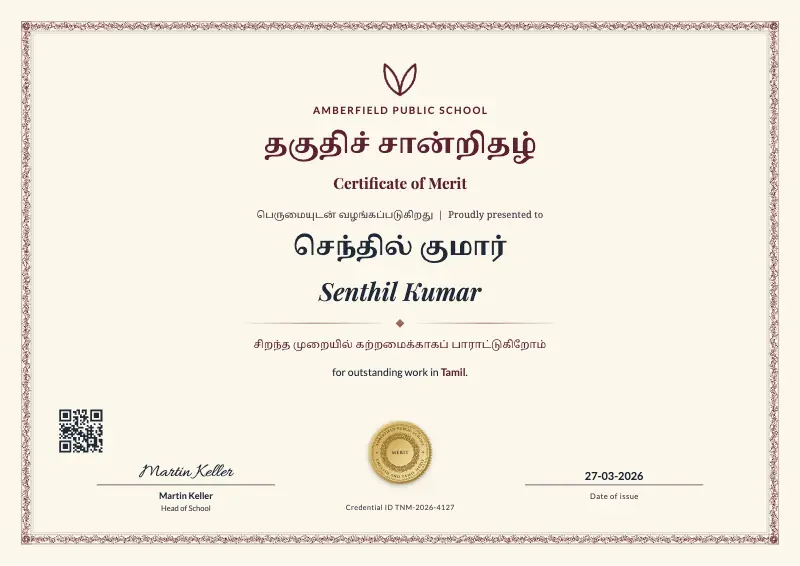
Our guide on certificates in Tamil, Hindi and other Indian scripts covers fonts and spellings, and our article on certificates in India covers more for Indian schools.
Colleges and universities
Colleges give many of the same awards, but their students are usually adults who want to share their achievements. That changes a few things.
- Send to the student's own email. Students over 18 can receive their credential directly, and add it to LinkedIn in one tap.
- Use badges for skills. A workshop, a short course or a club leadership role can earn a digital badge that sits on a student's profile next to their degree.
- Internship and project certificates help students find work. Include the organisation, dates and hours.
- Single sign-on for staff. On the Business plan, single sign-on lets staff use the college's own accounts, so access ends when someone leaves.
Full transcripts with every course and grade are a bigger job. Open standards for them exist, and they are something we plan to support later. For now, most colleges use certificates and badges for individual achievements and keep official transcripts in their student records system.
Letting every teacher help
Certificates often fall on one person in the office. Spread the load: invite class teachers to prepare their own lists, and let the office approve and send. Every plan has unlimited members, and roles control who can design, who can send and who can only view.

Schools, colleges and universities also get a discount on paid plans: verified nonprofits, charities and educational institutions receive 30% off Pro and Business. See pricing for the details.
Questions and answers
Can we send certificates to students under 18?
Yes. Send to a parent or guardian's email, or print and download without sending. Public sharing stays off for minors.
Can we print certificates instead of emailing them?
Yes. Download print sheets with cut marks on A4 or Letter. Printing without sending does not count toward your plan.
Can former students prove an award years later?
Yes. Credentials stay live, so a former student can open their page or share the link with a college or employer, and anyone can check it on the verify page.
Can names print in Tamil, Hindi or other scripts?
Yes. The designer supports Indian scripts and right-to-left scripts, so a name can print in English and in the family's own script on the same certificate.
Is there a discount for schools?
Yes. Schools, colleges and universities get 30% off the Pro and Business plans once their status is checked by email.
Can we make student ID cards too?
Yes. Use the same class list with a photo for each student. Cards carry a QR code that shows whether the card is valid, and print on sheets ready to cut.