Course completion certificates for online courses
Fair completion rules, a certificate worth sharing, automatic issuing from your course platform, and a next step for every learner who finishes.

By the Certnest team
6 min read

On this page
Key takeaways
- Write the completion rule down before launch: lessons finished, a minimum score, or both.
- A certificate with the course name, skills and a verify link is worth more to learners than a plain PDF.
- Connect your course platform so certificates are issued the moment a learner completes.
- Each LinkedIn share shows your course to the learner's network, so make sharing one tap.
- Add a "what next" link to the credential page to lead learners to your next course.
For an online course, the certificate is the finish line. It is the moment a learner feels the course was worth it, and often the moment they tell other people about it. A good completion certificate helps learners prove what they learned, and it helps you, because every share puts your course in front of new people.
This article covers the whole path: setting a completion rule, deciding what goes on the certificate, issuing it automatically from your course platform, and making the most of the moment after a learner finishes. Course creators can also see how Certnest fits their work on the course creators page.
Set a clear completion rule
"Completion" should mean the same thing for every learner. Write the rule on the course page and in the welcome email, so learners know what they are working towards.
| Rule | Good for | Note |
|---|---|---|
| All lessons marked complete | Short skills courses | Easy to reach, says little about mastery |
| Final quiz score of at least 70 percent | Courses with a clear body of knowledge | Allow a retake |
| Project submitted and reviewed | Practical courses and bootcamps | Needs reviewer time |
| Live sessions attended, at least 80 percent | Cohort courses | Track attendance per session |
| Lessons complete and score of at least 70 | Professional courses | The most meaningful combination |
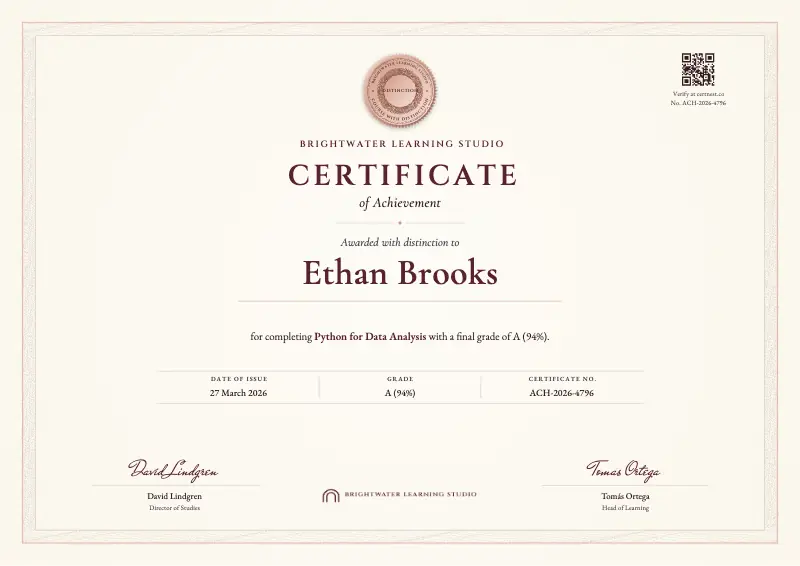
If learners can earn a higher grade, you can add a distinction rule, for example a score of 90 or more. Issue a different credential for distinction rather than changing the wording by hand.
What to put on the certificate
Learners use completion certificates in job applications, on LinkedIn and in performance reviews. Employers want to know what was learned, how much effort it took and that the certificate is real.
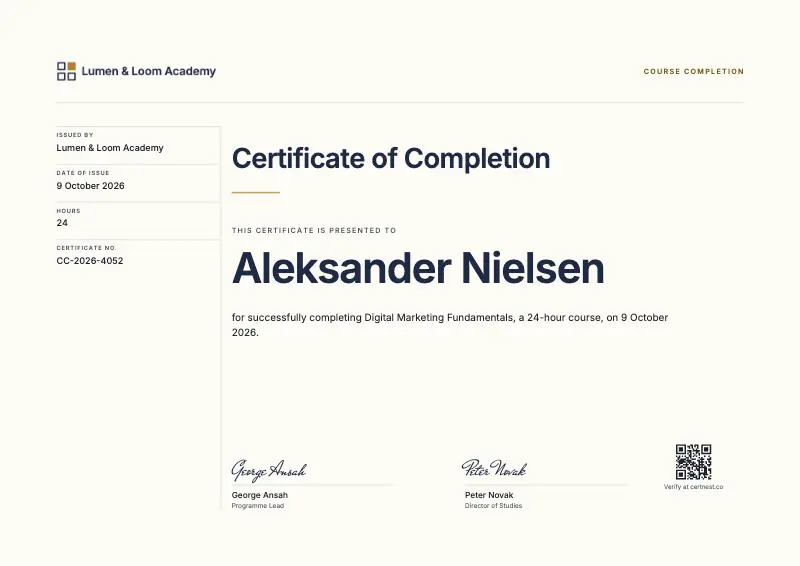
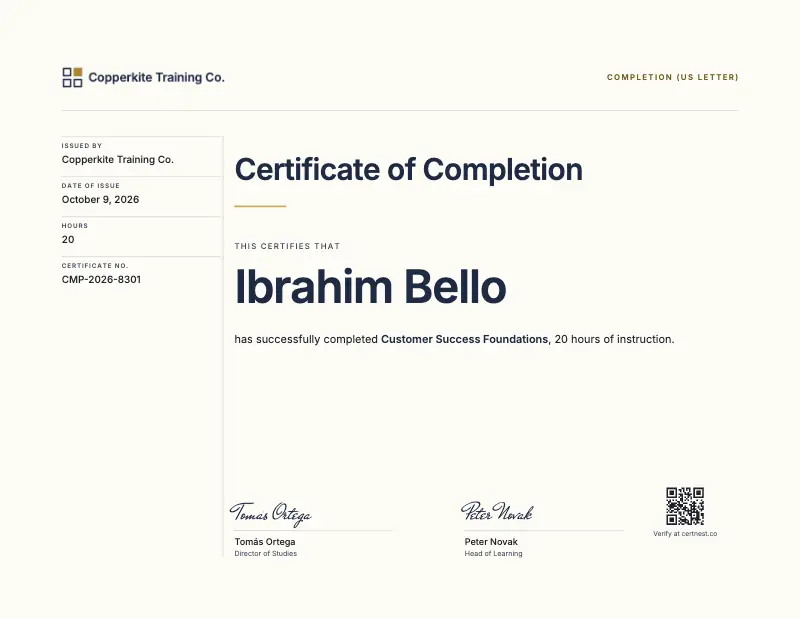
- Course name, exactly as it appears on your course page.
- Learner's name, spelled the way they entered it.
- Completion date.
- Hours or length, if you know them, such as "24 hours of guided practice".
- Skills, three to six of them, listed on the credential page.
- How it was earned: the rule, such as "passed the final assessment with at least 70 percent".
- Your name or school and a signature.
- Credential ID and a QR code that opens the live record.
The printed design should stay clean. Skills, criteria and the longer description live on the credential page, which every learner gets.

Issue certificates from your course platform
Sending certificates by hand works for the first cohort. After that, it is a chore that gets delayed. Most course platforms can tell another system when a learner completes, and that is all an automation needs.
Step 1: Create the credential
Give it the course name, description, skills, hours and criteria. Pick a template and add your brand.
Step 2: Choose a trigger
Pick how completions arrive: a webhook from your course platform, a row added to a sheet, a form, or a call to the API from your own site.
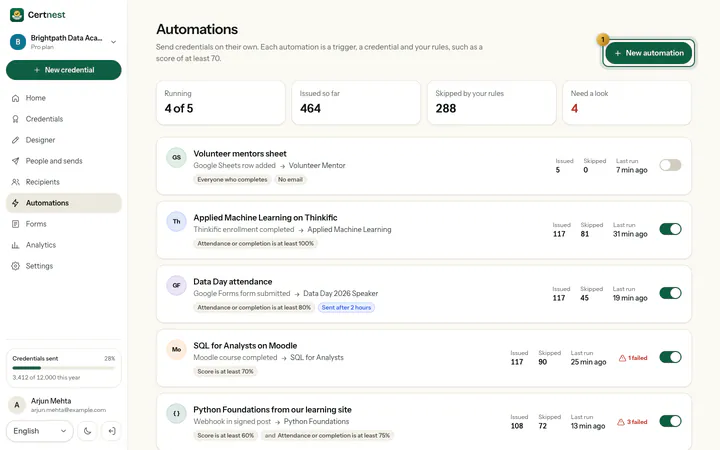
Step 3: Add your rules
Set the rule, such as "score at least 70" or "attendance at least 80 percent". People who do not meet it are skipped, and you can see who and why.
Step 4: Test with yourself
Complete the course with your own account or send a test event. Check the email, the credential page and the LinkedIn button.
Step 5: Turn it on
From now on, every learner who completes gets the certificate within moments, day or night.

If your platform can call a URL, use a webhook. If you build your own site, use the API: one request issues one credential. The developers page has the details, and our guide on issuing certificates with an API shows a full example.
{
  "credential_id": "cr_python_foundations",
  "recipient": { "name": "Mateo Garcia", "email": "mateo.garcia@example.com" },
  "fields": { "score": 86, "completed_on": "2026-11-20" }
}Turn every certificate into a recommendation
When a learner adds your certificate to LinkedIn, it shows your course name and your organisation on their profile, and their network can see it. That is honest, earned promotion, and it costs you nothing extra. Make it easy:
- Put the Add to LinkedIn button at the top of the credential page, not hidden in a menu. Certnest fills in the name, issuer, date, ID and link for the learner.
- Give the learner a short line they can post, such as "I just finished Python Foundations with Brightpath Data Academy".
- Use a design that still looks good as a small picture in a feed.
- Mention sharing in the email, once, without pressure.
For the details of how LinkedIn shows certifications, read how to add a certificate to LinkedIn, step by step.
Give every learner a next step
A learner who just finished is the most likely person to take your next course. Add a "what next" link to the credential page: the follow-on course, a community, a discount for alumni or a live session. It sits next to the certificate, at the moment the learner feels proud of what they did.
After a few cohorts, look at the numbers: how many learners opened their credential, downloaded it, added it to LinkedIn and clicked the next step. Our article on measuring credential ROI shows which numbers are worth watching.
Mistakes to avoid
- Changing the rule after launch without telling learners.
- Calling a short course a certification. A certification usually means an assessed standard, often with an expiry. A completion certificate says the learner finished.
- Waiting days to send. Issue on completion, or at least on the same day.
- A certificate that only exists as a PDF. Without a verify link, nobody can check it.
- Charging for corrections. Names get misspelled. Fix them quickly and kindly.
Questions and answers
What should an online course completion certificate include?
The course name, the learner's name, the completion date, the hours if known, your name or school, a signature, and a credential ID with a verify link or QR code. Skills and criteria can go on the credential page.
Can certificates be issued automatically when a learner finishes?
Yes. Connect your course platform with a webhook, a sheet, a form or the API. When a learner completes and meets your rules, the certificate is issued and emailed straight away.
Should I use a minimum score for completion?
For courses that teach a clear body of knowledge, a minimum score such as 70 percent makes the certificate more meaningful. Allow a retake so learners are not stuck.
Do completion certificates help sell more courses?
They can. When learners add the certificate to LinkedIn or share it, their network sees your course name, and a "what next" link on the credential page invites learners to your next course.
Is a completion certificate the same as a certification?
No. A completion certificate shows that a learner finished a course. A certification usually shows that someone met an assessed standard, and it often expires and needs renewal.