


- Make
Send Certnest events to OneDrive
Keep credential records in OneDrive or SharePoint.


When Certnest
Credential Issued fires
Then OneDrive
A record in the HR training folder
Every credential is signed and can be checked by anyone
Guide
How OneDrive works with Certnest
When something happens to a credential in Certnest, our Zapier app starts a Zap, and OneDrive's Zapier app does "Create file". Your team hears about it where it already works.
Who it is for
- Teams that work in OneDrive
- Training and events teams who want to know who opened, shared or bounced
- Anyone comfortable with a two-step Zap
What you need
- A OneDrive account
- A Zapier account (Zapier's own plan rules apply)
- A Certnest account, free plan included
- Connection
- Via Zapier
- How it connects
- Zapier, no code
- Set-up time
- About 10 minutes
- Category
- File storage
- Sends to
- Create file
- Plans
- Every plan, including free
Step by step
Set up OneDrive
About 10 minutes, 8 steps
Step 1: Create an API key
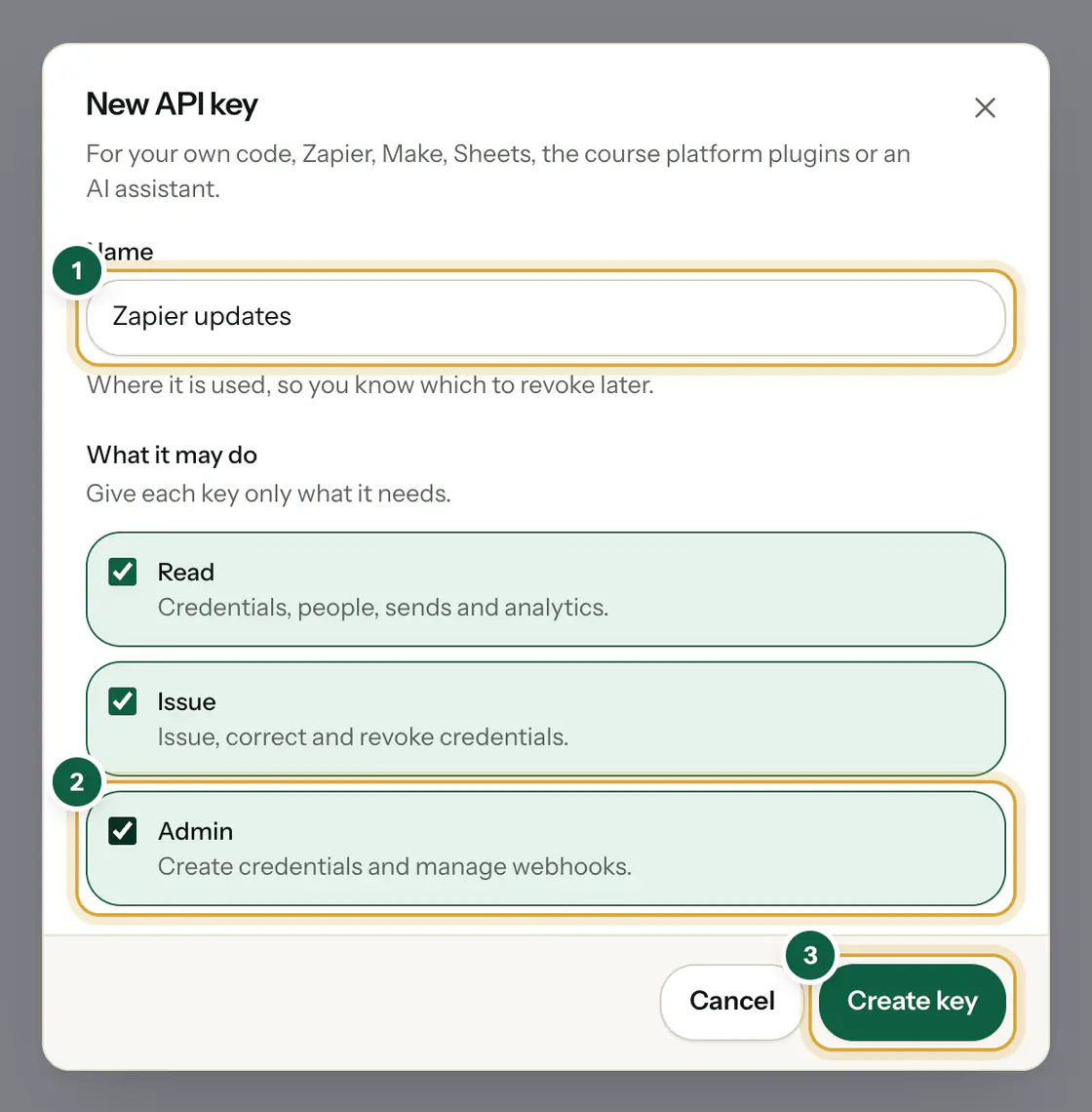
In Certnest, open Settings, API keys, New API key. Name it after where it will be used, such as "Zapier to OneDrive", and tick Read and Admin. Admin lets the connection add the webhook it listens on, and nothing else is needed. Then choose Create key.
Give each tool its own key. You can revoke one without touching the others.
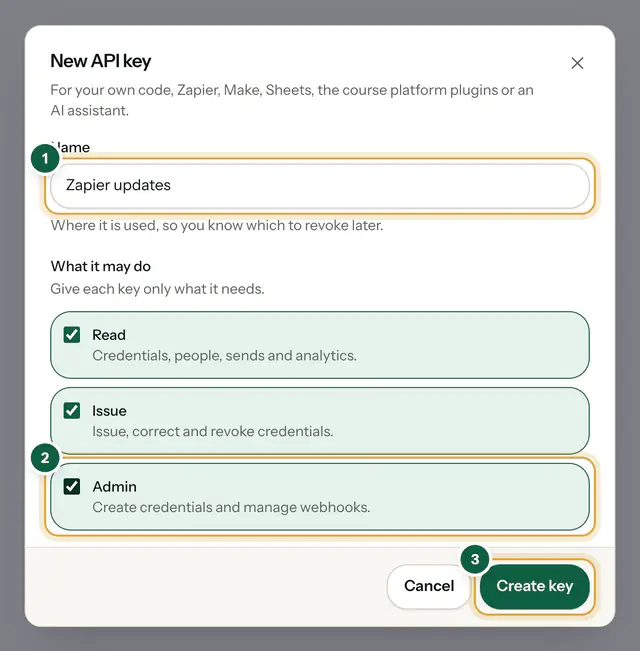
In Certnest. The New API key window in Certnest. 1: the key's name. 2: the Admin permission, ticked. 3: the Create key button. View full size Step 2: Copy the key now
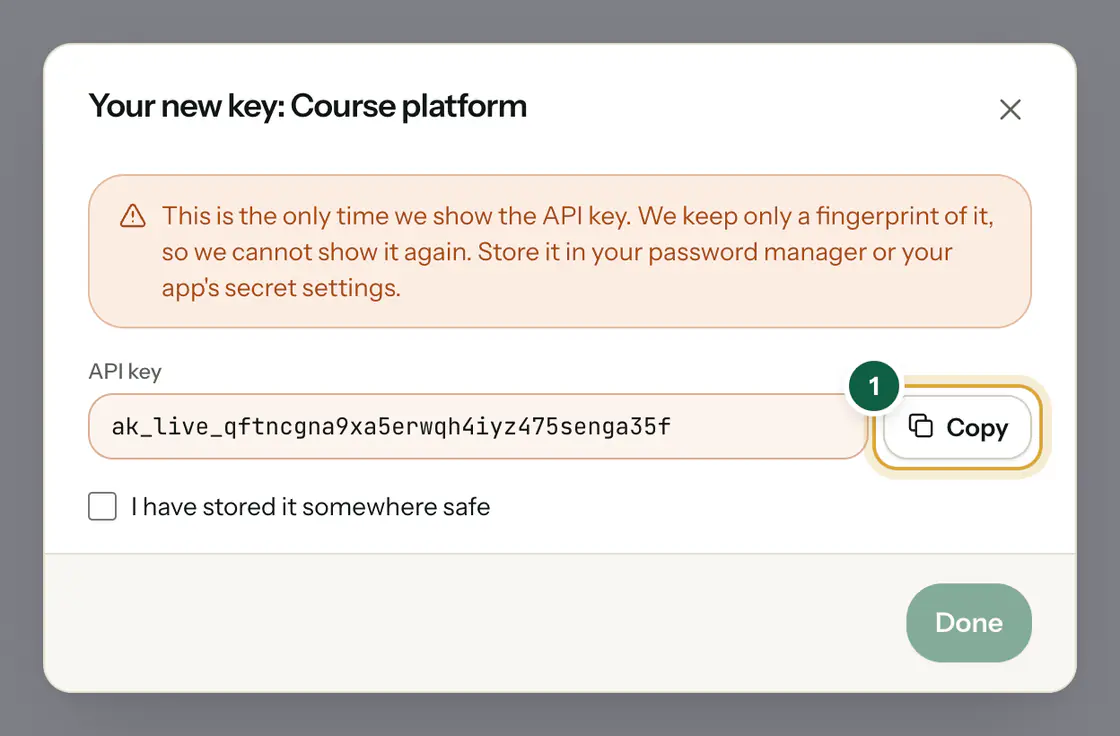
Certnest shows the key one time only and keeps just a fingerprint of it. Copy it into a password manager. If it is ever lost, rotate it in the same place and paste the new one.
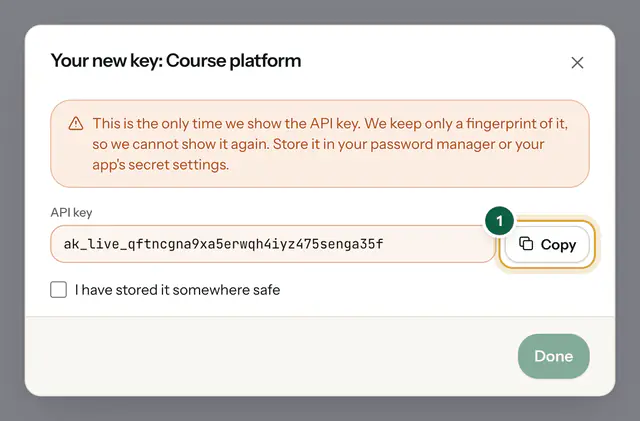
In Certnest. The window that shows a new API key once. 1: the Copy button. View full size Step 3: Start a Zap with a Certnest trigger
In Zapier, create a Zap and choose Certnest. Pick the event: Credential Issued, Credential Viewed, Added to LinkedIn or Email Bounced. Pick one credential to hear only about it, or leave it empty for all.
Drawing, not a screenshot. A drawing of a two-step automation. Step 1, highlighted: Certnest, Added to LinkedIn. Step 2: OneDrive. Step 4: Load a sample
Zapier loads recent real events from your account to map from. With none yet, it shows a sample with the same fields.
Step 5: Add OneDrive: Create file
Add an action, choose OneDrive and "Create file", and connect your OneDrive account.
Drawing, not a screenshot. A drawing of the same automation. Step 2, highlighted: OneDrive, Create file. Step 6: Map the fields
Use Name, Email, Credential, Credential link, Status and When from the Certnest step to write the message or the record.
Drawing, not a screenshot. A drawing of OneDrive's fields filled from the Certnest event. Step 7: Publish the Zap
When the Zap turns on, Zapier adds a webhook in Certnest for that one event. You see it under Settings, Webhooks, and it goes away when the Zap is turned off.
Step 8: Try it
Issue one credential to yourself, open it and add it to LinkedIn. The update reaches OneDrive within seconds.


What happens next
What your team sees
Once it is on, OneDrive hears about every change, and you can see each delivery.
1 of 2
The update lands in OneDrive
Each time the event happens, OneDrive gets the person's name, the credential and its link, as you mapped them.
Drawing, not a screenshot. A drawing of the update arriving in OneDrive: a short note with a person's name and credential link. 2 of 2
Every delivery is logged
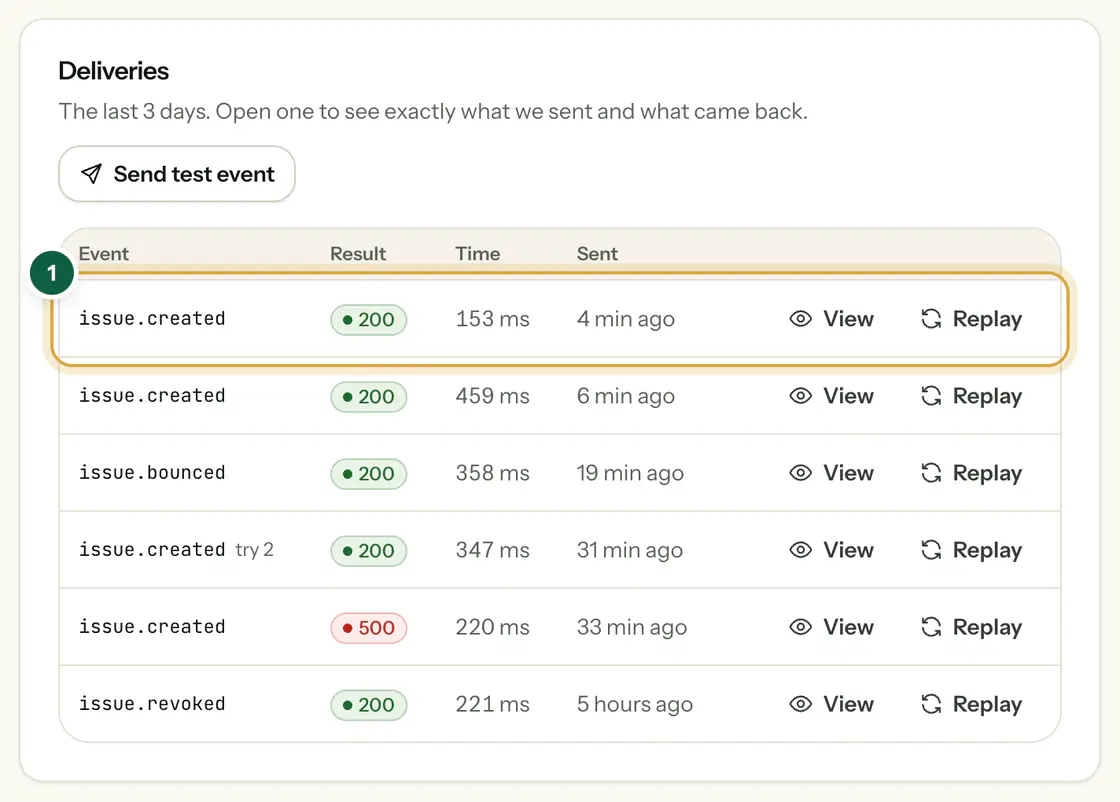
In Certnest, Settings, Webhooks shows each delivery with its answer and timing. A failed one is tried again for three days, and you can send any delivery again by hand.
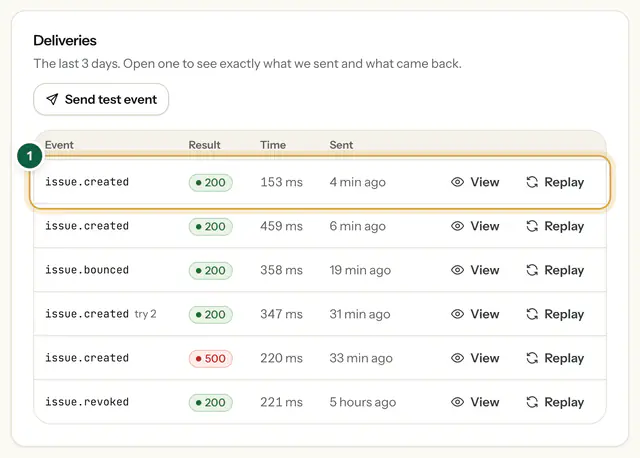
In Certnest. The webhook deliveries list in Certnest. 1: one delivery with its status code. View full size

Want to watch it happen? Try the interactive demo.
Ideas
What Certnest can tell OneDrive
Use Certnest's triggers in Zapier or Make to save a record of each credential to OneDrive.
When Certnest
Credential Issued fires
Then OneDrive
A record in the HR training folder
When Certnest
A credential is revoked
Then OneDrive
A note in the audit folder
When Certnest
A send finishes
Then OneDrive
A summary for the quarter
Troubleshooting
If something does not work
The run log and People and sends show what happened to each person. These are the usual fixes.
Zapier says it cannot subscribe
The key needs the Admin permission to add a webhook. Make a key with Read and Admin and reconnect.
Nothing arrives after I turned the Zap on
Check Settings, Webhooks in Certnest. If the endpoint shows Failing, open a delivery to see Zapier's answer. If it is missing, turn the Zap off and on again.
I get updates for every credential
Edit the trigger and pick one credential, or add a Zapier Filter on the Credential field.
The key stopped working
Someone may have rotated or revoked it. Open Settings, API keys, see when each key was last used, make a new one and paste it where the old one was.
OneDrive questions
How does OneDrive connect to Certnest?
Through Zapier. OneDrive has its own Zapier app, and so does Certnest, so you connect the two without code.
Does the OneDrive integration cost extra?
Integrations, the API and webhooks are on every Certnest plan, including the free plan with 1,000 credentials a year. Zapier or Make may charge for their own plans.
Can it issue the same person twice by mistake?
No. Every call carries an ID or a retry key. Someone who already holds a live copy of the credential gets the same one back, and is not emailed again.
Is Certnest partnered with OneDrive?
No. Certnest connects to OneDrive through its public features. OneDrive is a trademark of its owner, and this page does not mean they endorse Certnest.
Related
Works well with
Zapier
NativeConnect Certnest to thousands of apps with triggers, actions and a search.
Google Drive
Via ZapierKeep a record of each credential in a Drive folder.
- Make
Dropbox
Via ZapierSave credential records to Dropbox folders.
- Make
Box
Via ZapierStore credential records in Box.
- Make
Google Sheets
NativeIssue a credential for each row, and get the link and status written back.
Google Forms
NativeSend a credential when someone submits the form and passes your rule.


All trademarks belong to their owners. Certnest is not affiliated with them unless stated. Logos from Simple Icons (CC0) where available.
Start issuing from OneDrive
Free for your first 1,000 credentials a year. No card needed.