


Issue certificates and badges from Kajabi
Send credentials from Kajabi with a short form at the end of a course.

When Kajabi
A member submits the Course finished form
Then Certnest
Their certificate is emailed right away
Every credential is signed and can be checked by anyone
Guide
How Kajabi works with Certnest
Kajabi has no course completed webhook today, so place a short Kajabi form on the last lesson. When someone submits it, Kajabi sends a webhook and Certnest issues the credential.
Kajabi does not send a course completed webhook today, so this uses a short form on the last lesson. Certnest reads this platform's own message format directly, so nothing runs in between. Each message is checked before anything is issued.
Who it is for
- Creators selling courses on Kajabi
- Anyone who can add a form to a lesson
What you need
- A Kajabi site with forms
- A Certnest account, free plan included
- Connection
- Native
- How it connects
- Native, built by Certnest
- Set-up time
- About 15 minutes
- Category
- Courses and LMS
- Starts on
- Form submitted on the last lesson
- Plans
- Every plan, including free
Step by step
Set up Kajabi
About 15 minutes, 8 steps
Step 1: Start a Kajabi automation
In Certnest, open Automations. Under Start from a trigger, choose Kajabi.
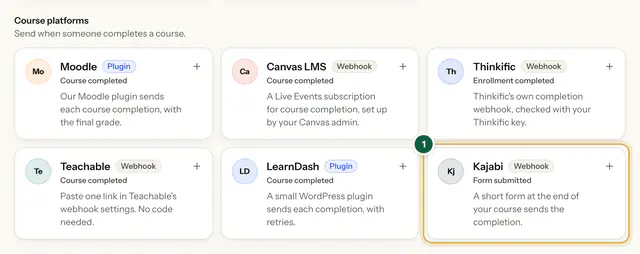
In Certnest. The trigger gallery in Certnest Automations. 1: the Kajabi card. View full size Step 2: Pick the credential
Under Credential, choose what each person gets, such as a course certificate or a badge. The preview shows the design.
Step 3: Choose who qualifies and how it is sent
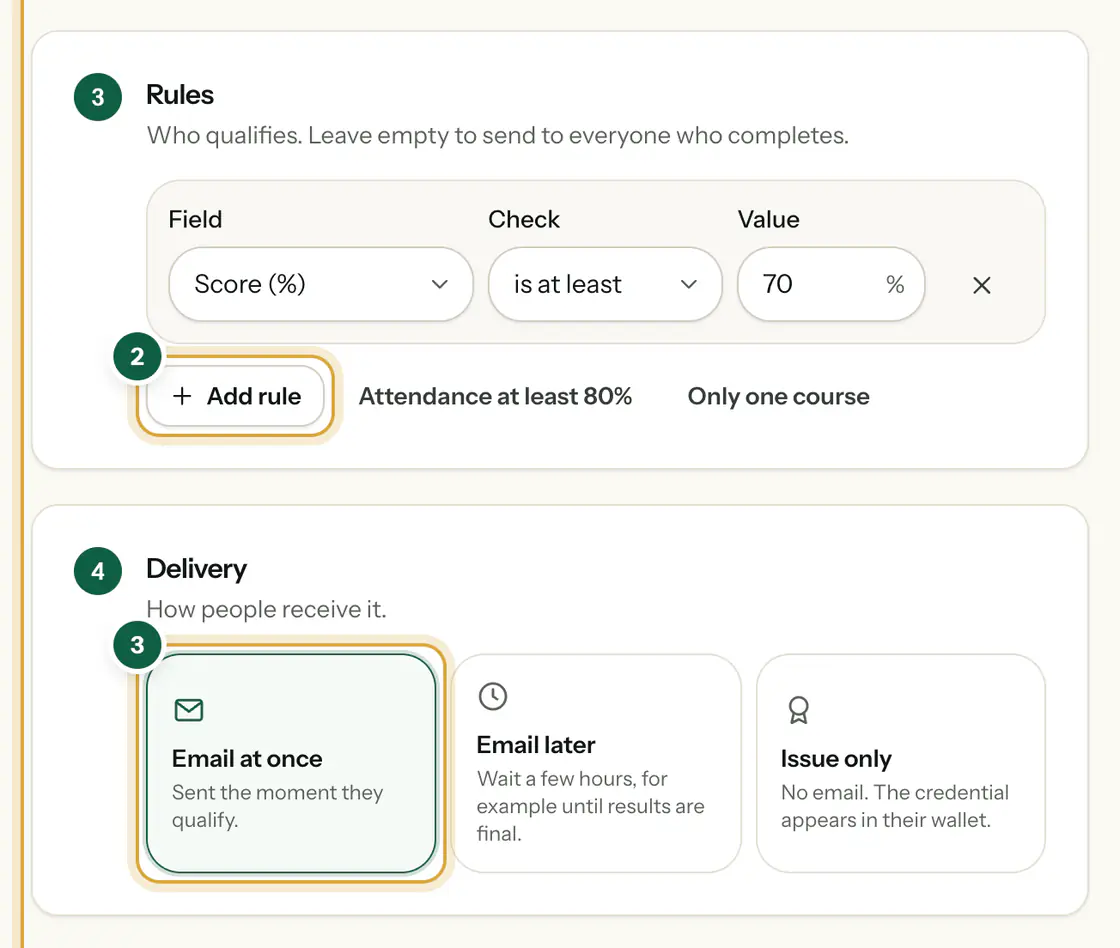
Under Rules, add checks such as Score is at least 70 or Attendance is at least 80 percent, or leave it empty to send to everyone who completes. Under Delivery, pick Email at once, Email later or Issue only.
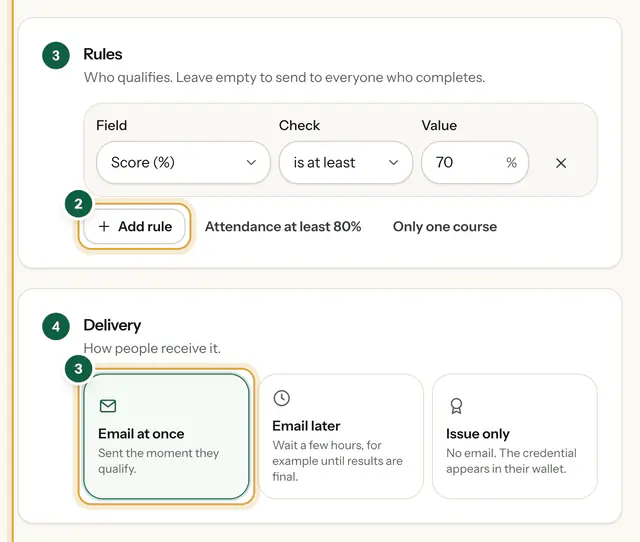
In Certnest. The Rules and Delivery steps of an automation, with the rule Score is at least 70 percent at the top. 2: Add rule. 3: Email at once, selected. View full size Step 4: Save and copy the link for Kajabi
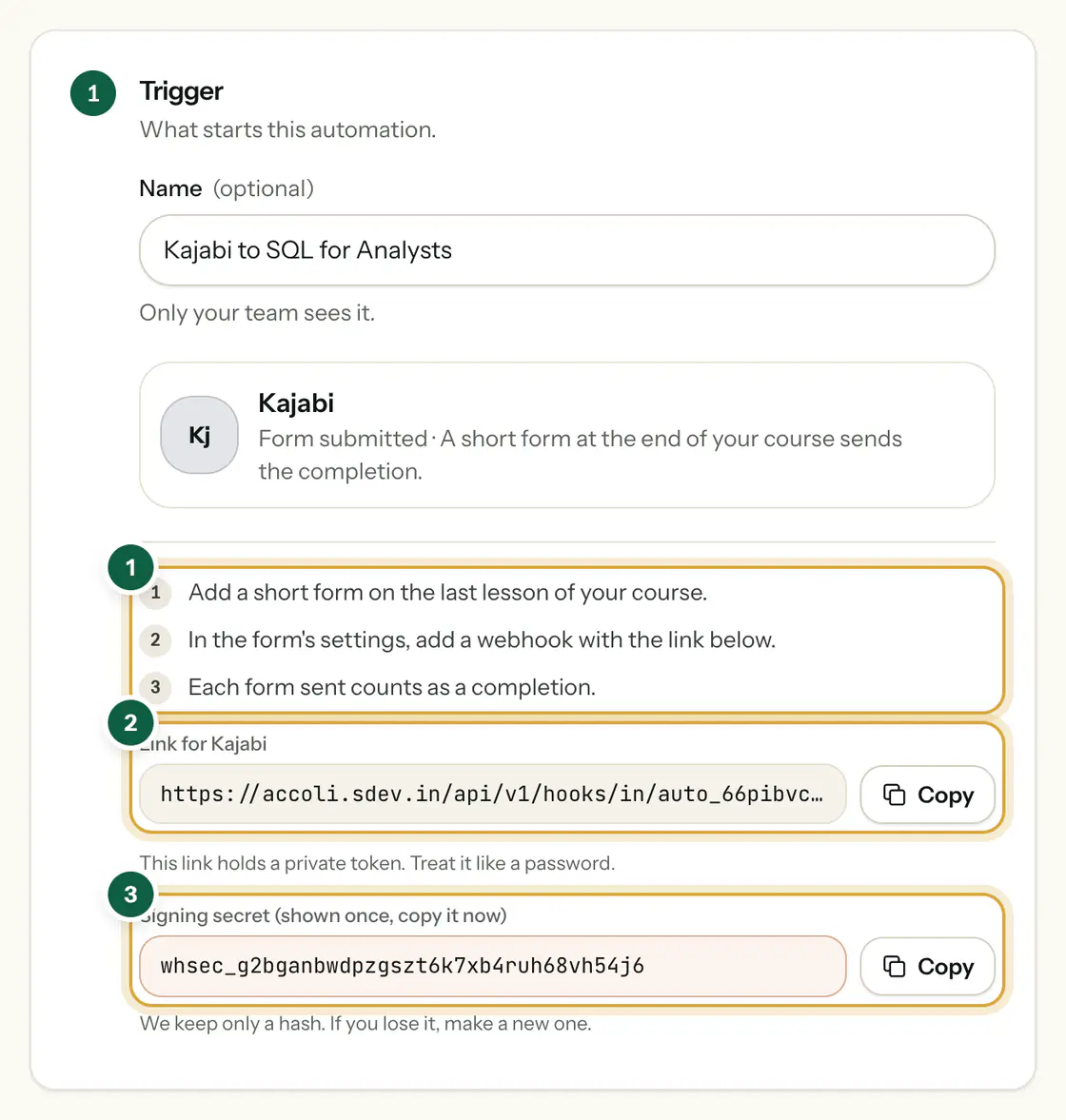
Choose Save. Step 1 Trigger now shows the short setup steps and the link for Kajabi. Copy it for the next step. The signing secret is shown in full only once.
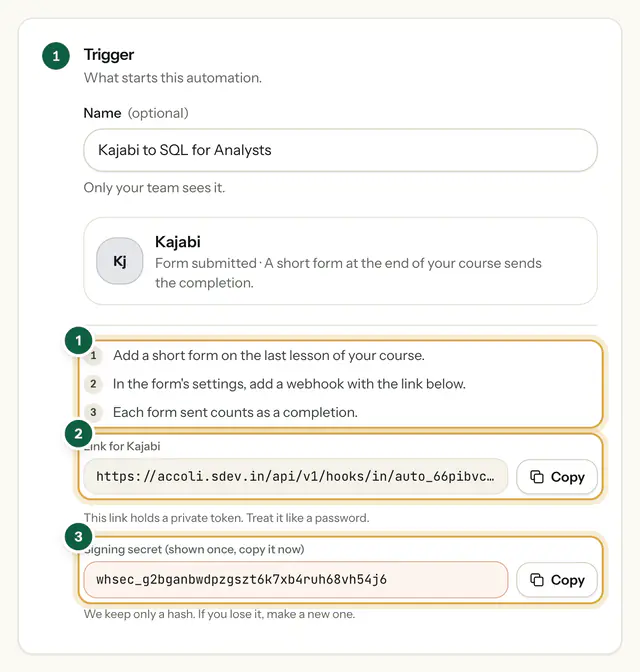
In Certnest. The Trigger step of a saved Kajabi automation. 1: the setup steps. 2: the link for Kajabi. 3: the signing secret. View full size Step 5: Add a short form to the last lesson
Make a form with First Name, Last Name and Email, titled something like Course finished, and place it on the final lesson.
Step 6: Add the webhook to the form
In the form's settings, open Webhooks and paste the Certnest link. Each form sent counts as a completion.
Drawing, not a screenshot. A drawing of a form's webhook setting with the Certnest link pasted. Step 7: Try it with a sample before real people arrive
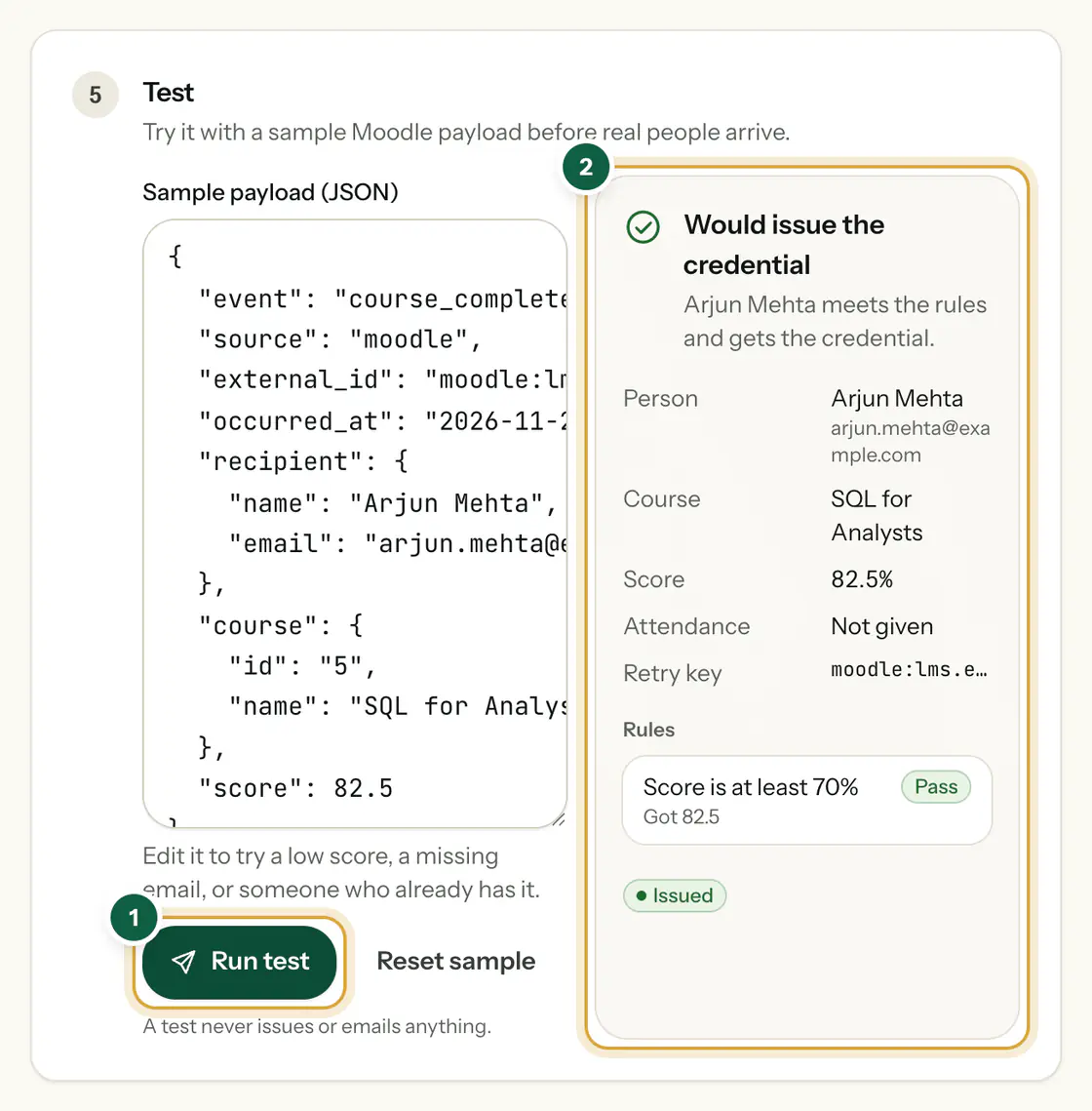
In the automation, step 5 Test holds a sample message in the right shape. Change the score or remove the email and choose Run test: it shows who would get the credential and why. A test never issues or emails anything.
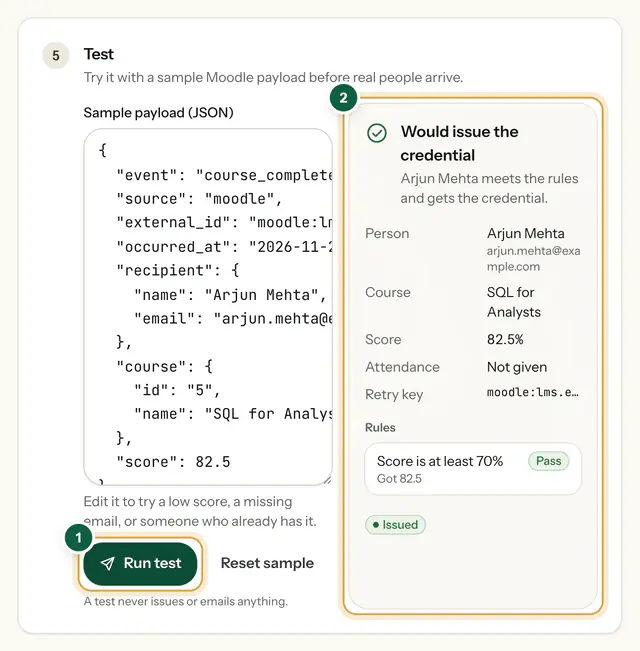
In Certnest. The Test step of an automation. 1: Run test. 2: the result, which explains each rule in plain words. View full size Step 8: Watch the run log
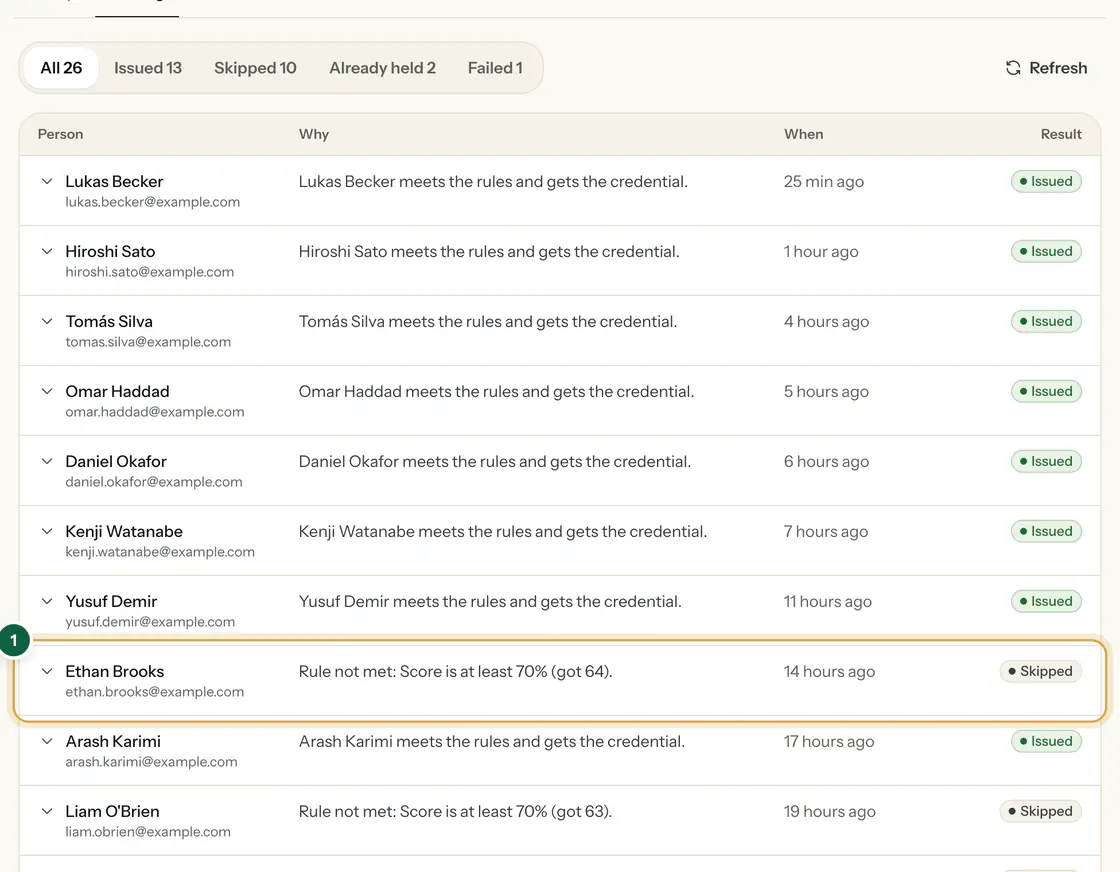
The Run log tab lists every message that arrived: issued, skipped by a rule, already held or failed, each with the reason. If someone asks why they did not get one, the answer is here.
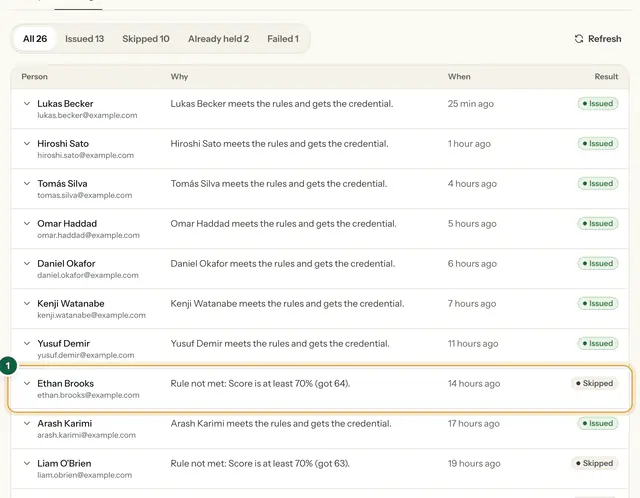
In Certnest. The Run log of an automation. 1: a row skipped by a rule, with the reason. View full size


What happens next
What the person receives
Whatever starts it, everyone gets the same signed credential, ready to share.
1 of 4
An email arrives
Within moments the person gets an email from your organisation with a button to their credential. You set the sender, the words and your logo in Settings, Email.
Drawing, not a screenshot. A drawing of the email a person receives: the organisation's name, a short note and a View your certificate button. 2 of 4
Their own credential page
The button opens the credential page: the design with their name, a PDF to download and one click to add it to LinkedIn. No account is needed.
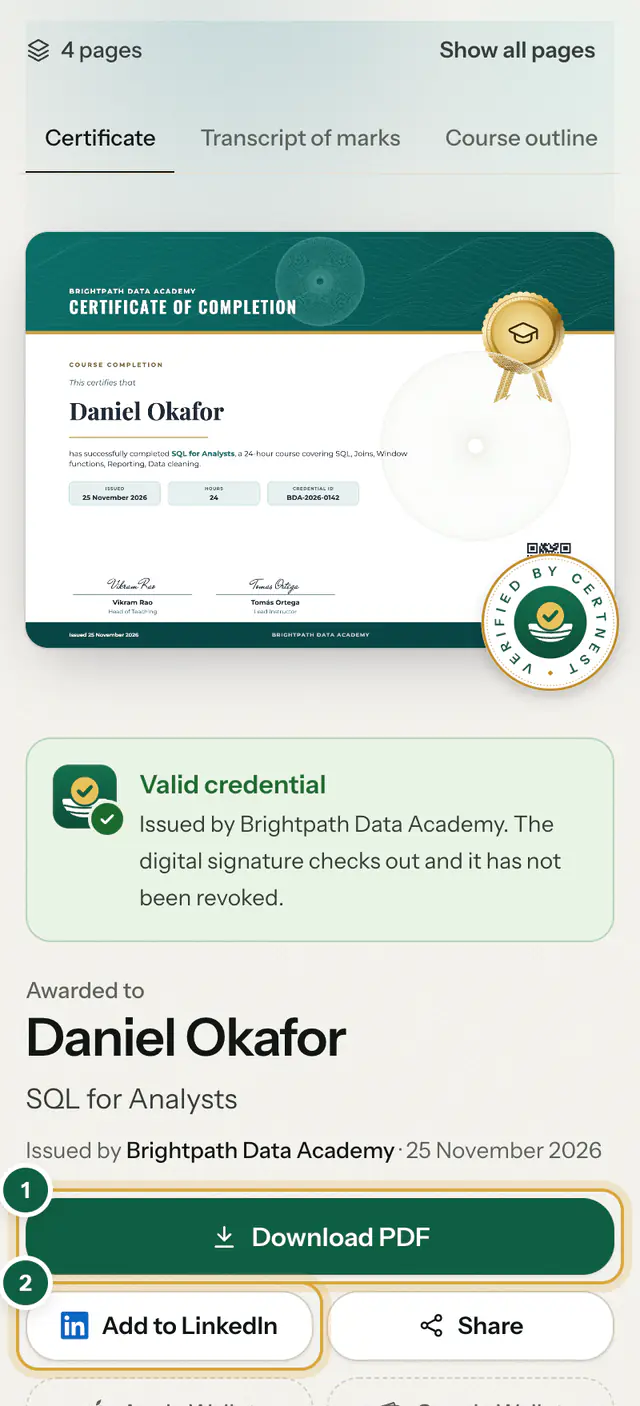
In Certnest. A credential page on a phone. 1: Download PDF. 2: Add to LinkedIn. 3 of 4
On their profile in one click
Add to LinkedIn fills in the credential name, your organisation, the date and the link, so it shows under licences and certifications.
Drawing, not a screenshot. A drawing of a profile section listing the new certificate, with the issuer and a Show credential link. 4 of 4
Anyone can check it is real
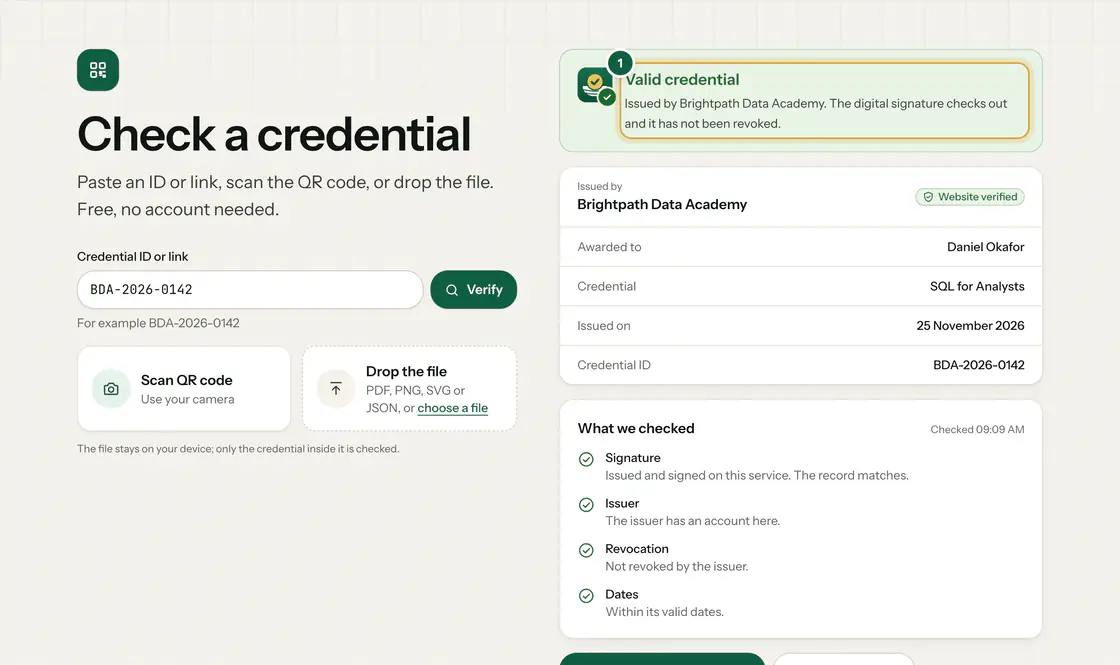
An employer opens the link or scans the QR code. Certnest checks the signature, that it was not revoked and that it has not expired.
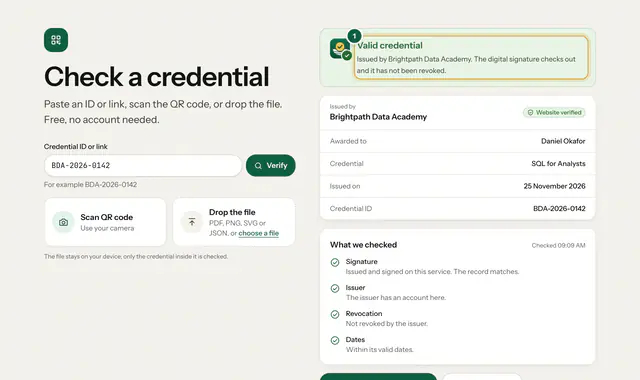
In Certnest. The verify page. 1: the result, a valid credential with the issuer named. View full size


Want to watch it happen? Try the interactive demo.
Ideas
What you can automate with Kajabi
Kajabi has no course completed webhook today, so place a short Kajabi form on the last lesson. When someone submits it, Kajabi sends a webhook and Certnest issues the credential.
When Kajabi
A member submits the Course finished form
Then Certnest
Their certificate is emailed right away
When Kajabi
A customer buys your coaching offer
Then Certnest
A welcome member card
When Kajabi
A member submits the form twice
Then Certnest
They still get one credential
Troubleshooting
If something does not work
The run log and People and sends show what happened to each person. These are the usual fixes.
People send the form before finishing
Place the form only on the last lesson, and lock lessons in order in Kajabi.
Someone did not get an email
Open People and sends and find them. A bounced address shows as Bounced: fix it and send again. If Delivery is set to Issue only, nothing is emailed by design.
The same person came through twice
They still hold one credential. A person who already has a live copy gets the same one back and is not emailed again. Send a stable ID with each person to make this exact.
Kajabi questions
Is the Kajabi integration built by Certnest?
Yes. We built and tested it ourselves.
Does the Kajabi integration cost extra?
Integrations, the API and webhooks are on every Certnest plan, including the free plan with 1,000 credentials a year. Zapier or Make may charge for their own plans.
Can it issue the same person twice by mistake?
No. Every call carries an ID or a retry key. Someone who already holds a live copy of the credential gets the same one back, and is not emailed again.
Is Certnest partnered with Kajabi?
No. Certnest connects to Kajabi through its public features. Kajabi is a trademark of its owner, and this page does not mean they endorse Certnest.
Related
Works well with
Moodle
NativeIssue a certificate when a learner completes a Moodle course.
Canvas
NativeSend credentials on Canvas course completions.
LearnDash
NativeIssue certificates when learners finish LearnDash courses on WordPress.
Thinkific
NativeSend a credential when a Thinkific enrollment is completed.
Teachable
NativeIssue a certificate when a student completes a Teachable course.
Docebo
NativeIssue credentials when learners complete Docebo courses or learning plans.
- Webhook
- Make
- API


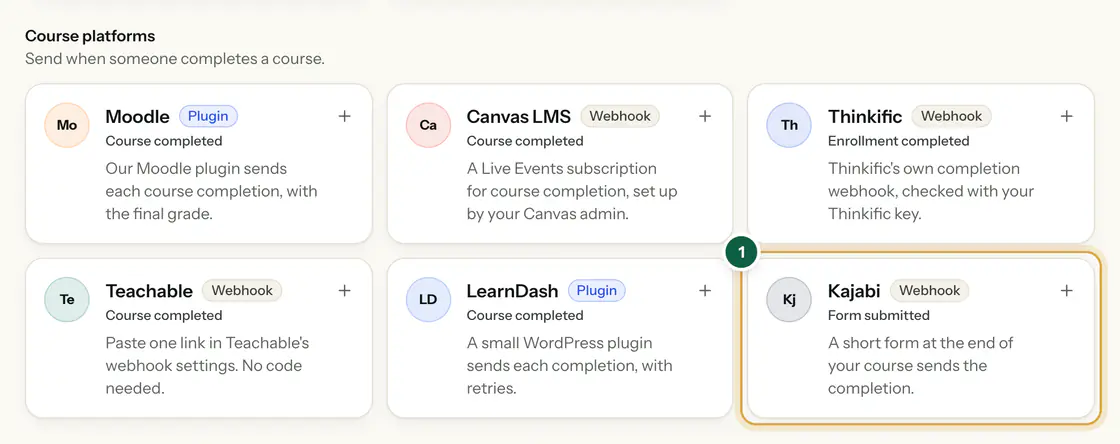
All trademarks belong to their owners. Certnest is not affiliated with them unless stated. Logos from Simple Icons (CC0) where available.
Start issuing from Kajabi
Free for your first 1,000 credentials a year. No card needed.